AI Employees: What They Are, What They Can Do, and How to Hire One
Learn what AI employees are, what work they can actually handle, how they differ from simple AI assistants, and how teams can start using one.
Introduction
AI employees are becoming a serious way to describe a new category of work software. The phrase sounds bold, but the underlying shift is practical: teams are moving from AI that answers individual prompts to AI that can hold context, follow a role, produce work, and keep helping across a longer work loop.
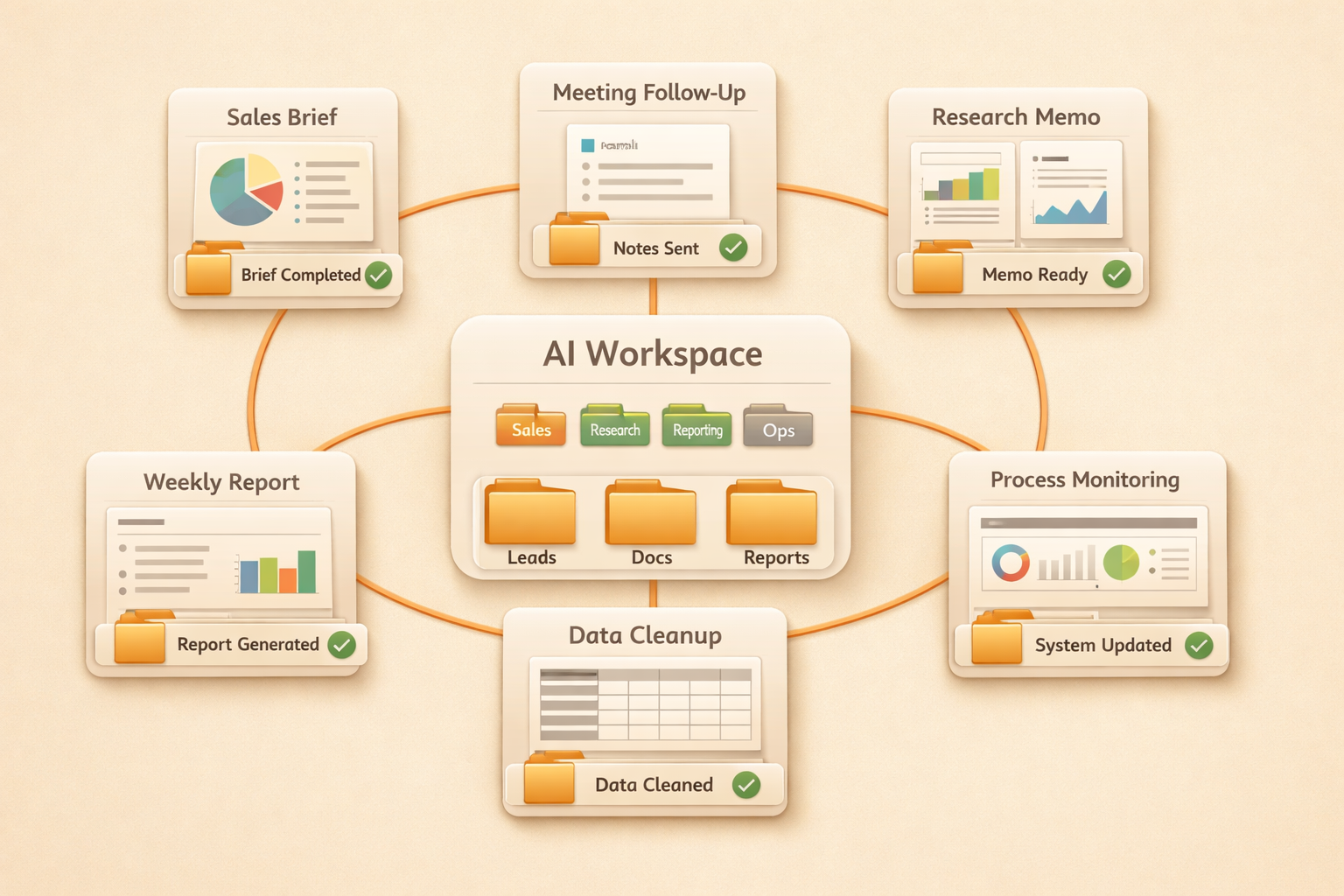
This matters because most companies are not short on chatbots. They are short on reliable capacity. A team may need someone to prepare sales briefs every morning, turn customer calls into follow-up tasks, organize research, draft weekly reports, clean campaign data, or monitor a recurring process. Those tasks are not always strategic, but they are real work. They take time, require context, and often fall between people because nobody fully owns them.
The broader AI adoption trend supports this shift. The Stanford AI Index shows how quickly AI capability and usage are moving into the workplace, while IBM's AI in Action report highlights the pressure on companies to move from experiments to operational value. The question is no longer whether teams will use AI. The harder question is what form AI should take inside daily work.
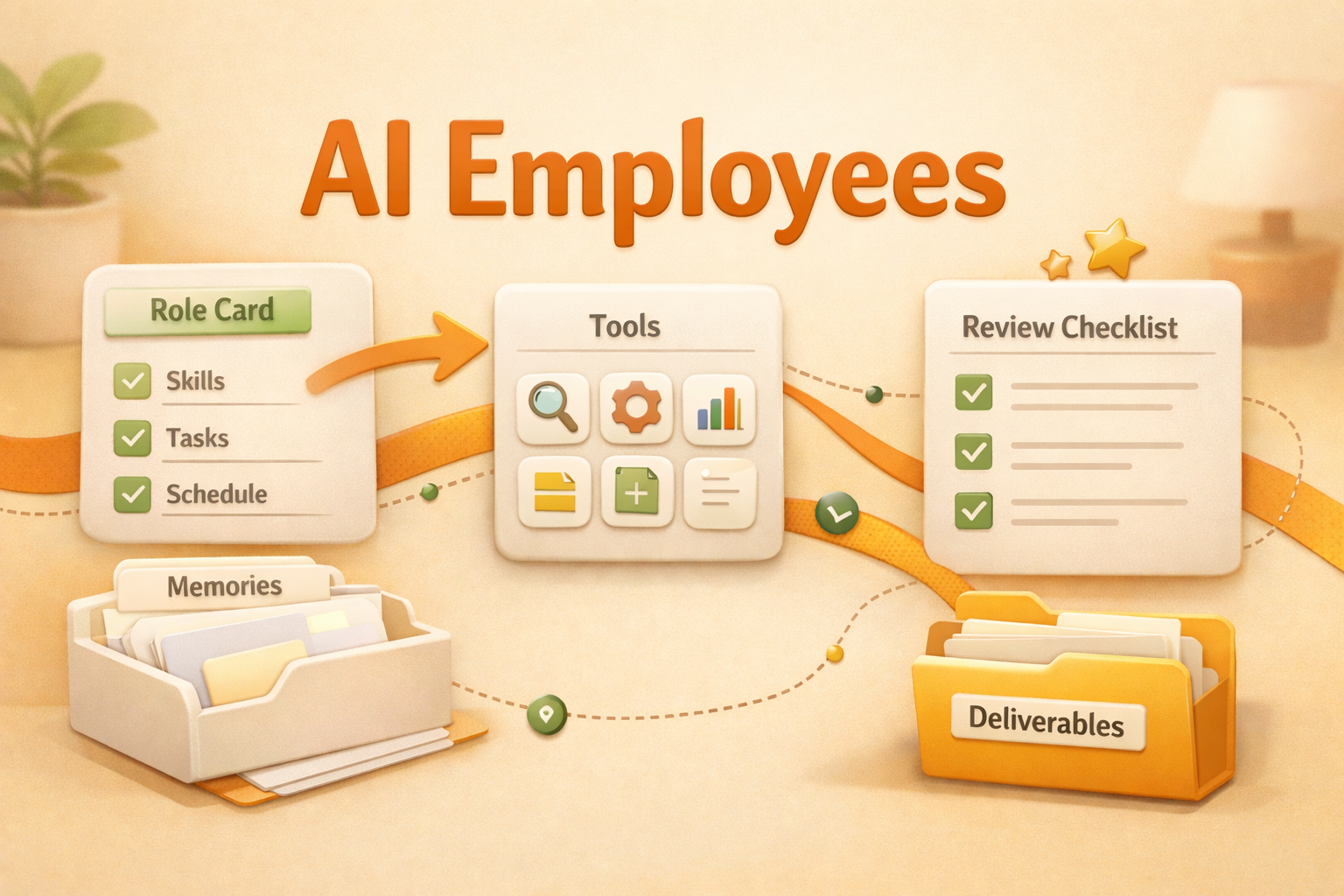
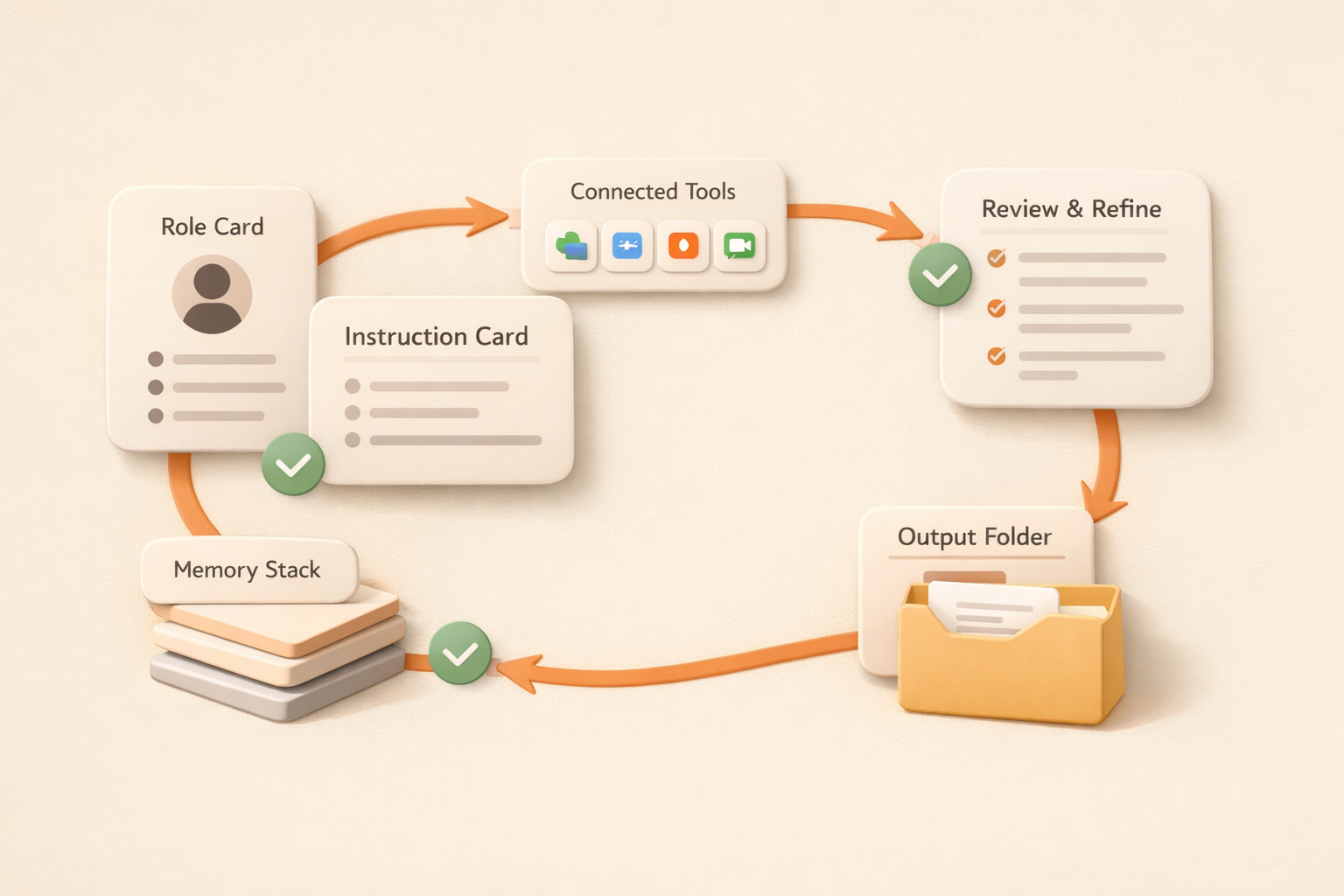
An AI employee is one answer. It is not just a model, not just a chatbot, and not just an automation rule. It is an AI system packaged around a work role, with memory, tools, instructions, review boundaries, and a place to save outputs. A good AI employee does not replace the need for human judgment. It reduces the repetitive coordination and preparation work that keeps humans from using their judgment well.
What are AI employees?
AI employees are role-based AI systems that can take on recurring work inside a team. They usually have a defined responsibility, access to relevant context, the ability to create or update work outputs, and a human review path.
The phrase can be confusing because people imagine a fully autonomous digital person making decisions alone. That is not the useful definition. In practice, an AI employee is closer to a junior team member with a clear scope. It can prepare materials, synthesize information, draft outputs, monitor changes, and surface next steps. Humans still decide, approve, redirect, and own accountability.
For example, an AI sales employee might research leads, prepare account briefs, draft follow-up emails, and maintain a pipeline summary. An AI operations employee might turn project updates into a weekly status report, flag missing owners, and keep a running record of blockers. An AI marketing employee might repurpose a webinar into social posts, newsletter copy, and a campaign brief.
The common pattern is not “AI does everything.” The common pattern is “AI owns a repeatable work lane.” That lane should be narrow enough to evaluate and useful enough to save meaningful time.
AI employees vs AI assistants
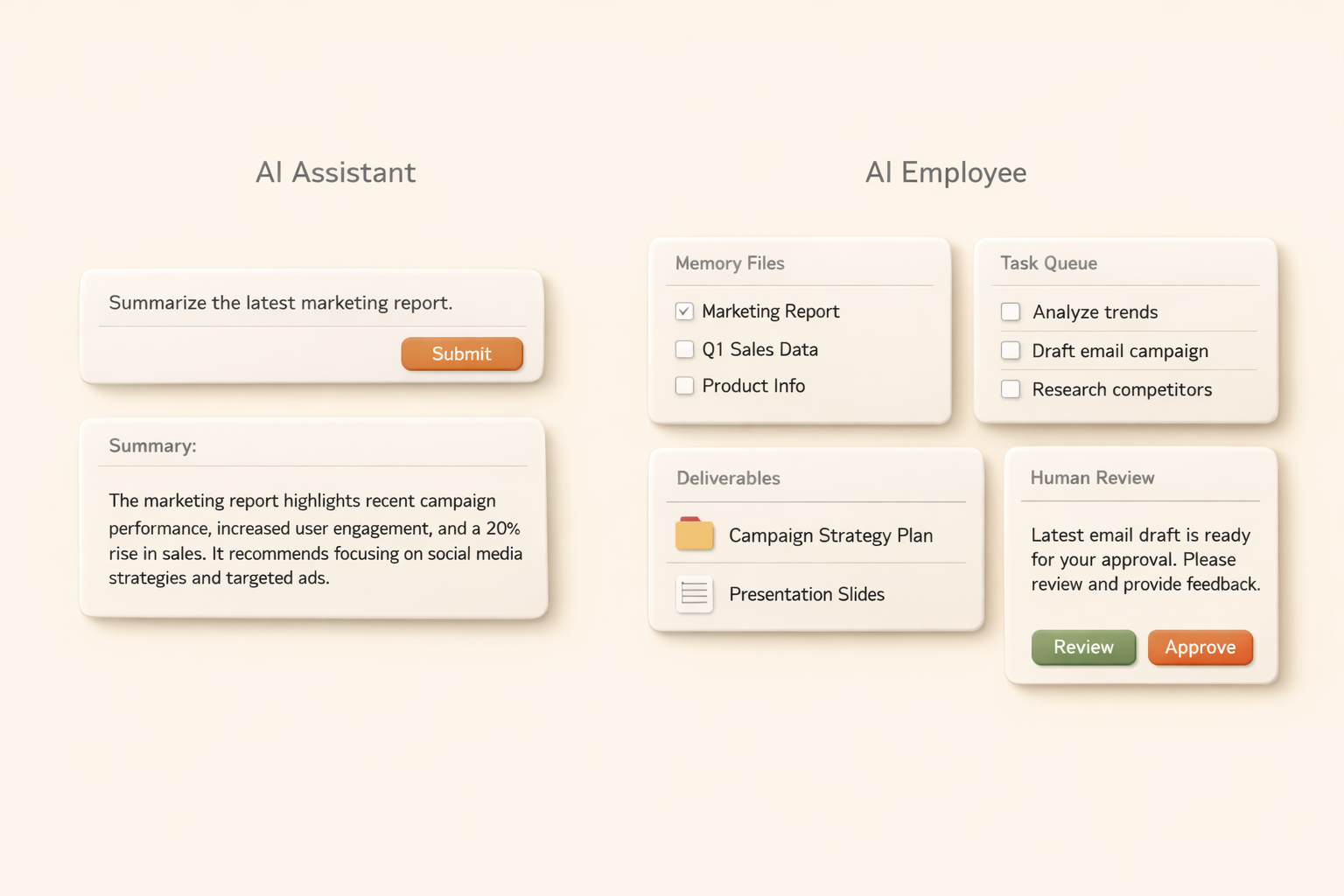
AI assistants are usually prompt-driven. A person asks a question, the assistant answers, and the interaction often ends there. This is useful for brainstorming, rewriting, summarizing, and quick analysis. But it does not always change how work gets done across a team.
AI employees are more role-driven. They are designed around a responsibility, not only a conversation. They should know what work they are expected to help with, what context matters, what output format is useful, and when a human needs to review the result.
This distinction is important for positioning. If a company only wants faster writing, an AI assistant may be enough. If a company wants a reliable way to delegate recurring work, it needs something closer to an AI employee.
What can AI employees actually do?
The best AI employee tasks are frequent, context-heavy, and reviewable. They should produce something a human can inspect before it affects customers, finances, legal obligations, or strategy.
Research and briefing
AI employees can collect information, compare sources, and turn messy context into structured briefs. This is useful for sales calls, investor research, market scans, competitor updates, hiring pipelines, and customer onboarding.
The value is not just faster search. The value is that the AI employee can follow the same briefing format every time, remember what the team cares about, and save the result where everyone can find it later.
Reporting and status updates
Many teams spend hours turning scattered updates into reports. An AI employee can gather recent changes, summarize progress, identify blockers, and draft a weekly or daily update.
This works well because reports usually follow a repeatable structure. The human reviewer can quickly check whether the report missed anything, then send or edit it. Over time, the AI employee can learn the preferred level of detail and tone.
Content repurposing
Marketing teams often need to turn one piece of content into many formats. An AI employee can transform a blog post, webinar transcript, product update, or customer story into social posts, newsletters, slide outlines, and campaign briefs.
This is stronger than simple rewriting when the AI employee understands the target audience, channel, brand voice, and campaign goal. The team still approves the final copy, but the repetitive first draft work becomes much lighter.
Customer follow-up and account preparation
Customer-facing teams need context before they write or speak. An AI employee can summarize previous conversations, identify open issues, draft follow-up emails, and prepare talking points for the next meeting.
The boundary matters here. The AI employee can prepare and draft, but a human should review customer-facing messages before sending. This keeps speed without losing accountability.
Knowledge management
AI employees can help organize team knowledge by turning conversations, documents, meeting notes, and decisions into searchable summaries. They can detect repeated questions, maintain FAQ-style notes, and keep project context easier to recover.
This is especially valuable for fast-moving teams. When context lives only in chat threads and individual memory, every new person or new project starts with a hidden tax. AI employees can reduce that tax by keeping knowledge structured.
What AI employees should not do alone
The phrase “AI employee” can create the wrong expectation if teams treat it as a fully independent worker. That is risky and usually not productive.
AI employees should not make irreversible decisions without review. They should not approve budgets, sign contracts, make legal judgments, send sensitive customer messages, or change production systems without a clear human approval path.
They also should not be given vague responsibility like “handle operations” or “do marketing.” A human employee can ask clarifying questions, understand politics, and negotiate priorities. An AI employee needs a narrower scope, clearer instructions, and a stronger review loop.
The right question is not “Can AI replace this person?” The better question is “Which repeated work lane can AI reliably prepare, draft, organize, or monitor so the team has more capacity?”
How to hire an AI employee
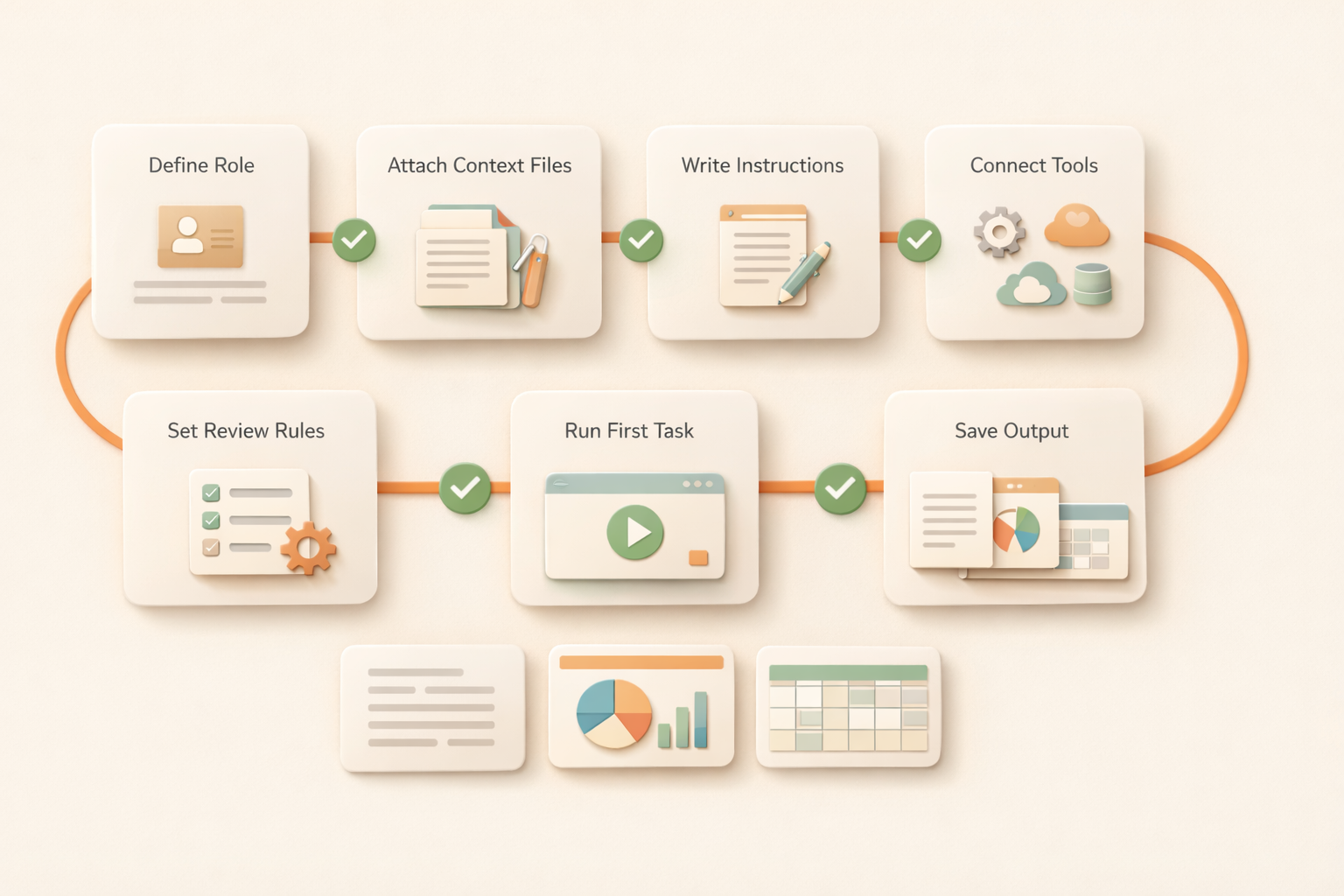
Hiring an AI employee should feel less like buying a tool and more like defining a role. The clearer the role, the better the outcome.
Step 1: Pick a specific work lane
Start with one recurring task. Good examples include weekly reporting, sales meeting prep, content repurposing, research briefs, customer feedback synthesis, or knowledge base updates.
Avoid starting with broad roles. “AI sales assistant” is a category. “Prepare account briefs for tomorrow's sales calls using CRM notes, company news, and past emails” is a usable work lane.
Step 2: Define inputs and outputs
List what the AI employee should read and what it should produce. Inputs may include files, Slack threads, CRM records, meeting notes, email history, spreadsheets, or URLs. Outputs may include a brief, report, draft, table, page, or task list.
This step prevents vague delegation. It also makes quality easier to evaluate.
Step 3: Set review rules
Decide what the AI employee can do on its own and what requires approval. For example, it may draft follow-up emails but not send them. It may create a weekly report but not announce it to customers. It may summarize feedback but not decide the roadmap.
Review rules make adoption safer and help the team trust the workflow.
Step 4: Run a trial period
For the first few runs, compare the AI employee's output with the manual process. Measure time saved, missing context, quality, clarity, and how much editing was needed.
A good trial does not need perfection. It needs a clear answer to one question: is this AI employee reducing real work without creating more review burden than it saves?
Step 5: Teach preferences over time
Every correction should improve the system. If the team repeatedly asks for shorter summaries, stronger citations, a different tone, or a different output structure, those preferences should be captured.
This is where an AI employee becomes more valuable than a one-off assistant. It should get closer to the team's working style over time.
How to evaluate AI employee tools
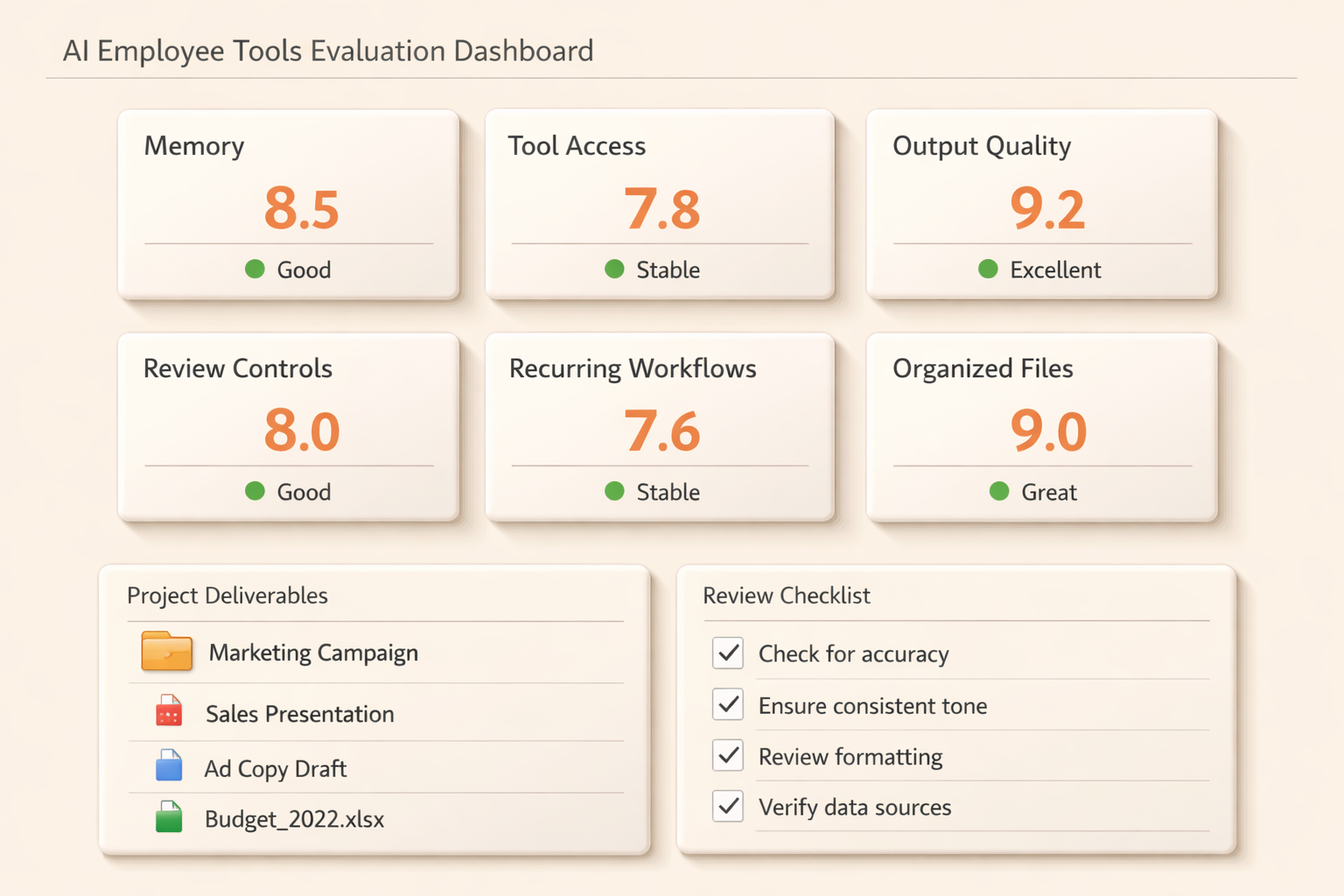
Many products now claim to offer AI workers, agents, teammates, or employees. The names matter less than the operating model. Teams should evaluate whether the system can support real work, not only impressive demos.
A good AI employee product should make the work loop visible. You should be able to see what it read, what it produced, where the result lives, and what needs human attention.
Common mistakes to avoid
The first mistake is hiring an AI employee for a job nobody can describe. If the input, output, reviewer, and success criteria are unclear, the AI will produce inconsistent work. Start with a narrow and repeatable process.
The second mistake is skipping the review layer. AI employees are most useful when they prepare work for humans, not when they silently make important decisions. Review is not a weakness. It is how teams keep speed and accountability together.
The third mistake is measuring only cost savings. The stronger value is often capacity, consistency, and memory. A team may save some hours, but it may also gain cleaner records, faster onboarding, and fewer missed follow-ups.
The fourth mistake is treating all AI employees as the same. A research AI employee, sales AI employee, and operations AI employee need different context, outputs, review rules, and success metrics.
Where Kuse fits
Kuse is built around the idea that AI should work inside a persistent workspace, not only inside a chat window. That makes it a natural fit for AI employees.
An AI employee needs context, files, outputs, memory, and repeatable work loops. Kuse gives teams a place where these pieces can live together. Instead of asking an AI tool to answer once and disappear, teams can use Kuse to keep work organized, reusable, and connected to the rest of their workspace.
For AI Coworker cluster pages, the main weight endpoint is the Kuse homepage: https://www.kuse.ai/. If you want the broader category framing, read AI Coworker: What It Is, How It Works, and Why It Matters when it is available.
FAQ
What are AI employees?
AI employees are role-based AI systems that help with recurring work. They can read context, prepare outputs, draft materials, organize information, and support a defined work lane under human review.
Are AI employees the same as AI agents?
Not exactly. AI agents describe a technical pattern where AI can plan and take actions. AI employees describe a workplace packaging: a role, responsibility, context, outputs, and review rules.
Can AI employees replace human employees?
They can replace some repeated preparation and coordination work, but they should not replace human judgment, accountability, creativity, or relationship ownership. The best use is delegation, not blind substitution.
What is a good first AI employee?
A good first AI employee handles a narrow recurring task such as weekly reporting, sales meeting prep, content repurposing, research briefs, customer follow-up preparation, or knowledge base updates.
How is an AI employee different from an AI assistant?
An AI assistant usually responds to prompts. An AI employee is designed around a role or recurring work lane. It should keep context, produce reviewable work, and improve from feedback.
Start with one AI employee
The fastest way to understand AI employees is not to redesign the whole company. Start with one repeated task that already consumes time, context, and coordination.
Give it a clear input, a clear output, a review owner, and a quality standard. If the AI employee saves time and makes work easier to reuse, expand from there.
Kuse helps teams make that shift: from one-off prompts to persistent AI coworkers that can remember context, create useful outputs, and keep working across the real flow of work.