AI Task Automation: How to Delegate Repetitive Work to AI
Learn what AI task automation is, what work AI can handle, how it differs from traditional automation, and how to delegate recurring tasks with Kuse.
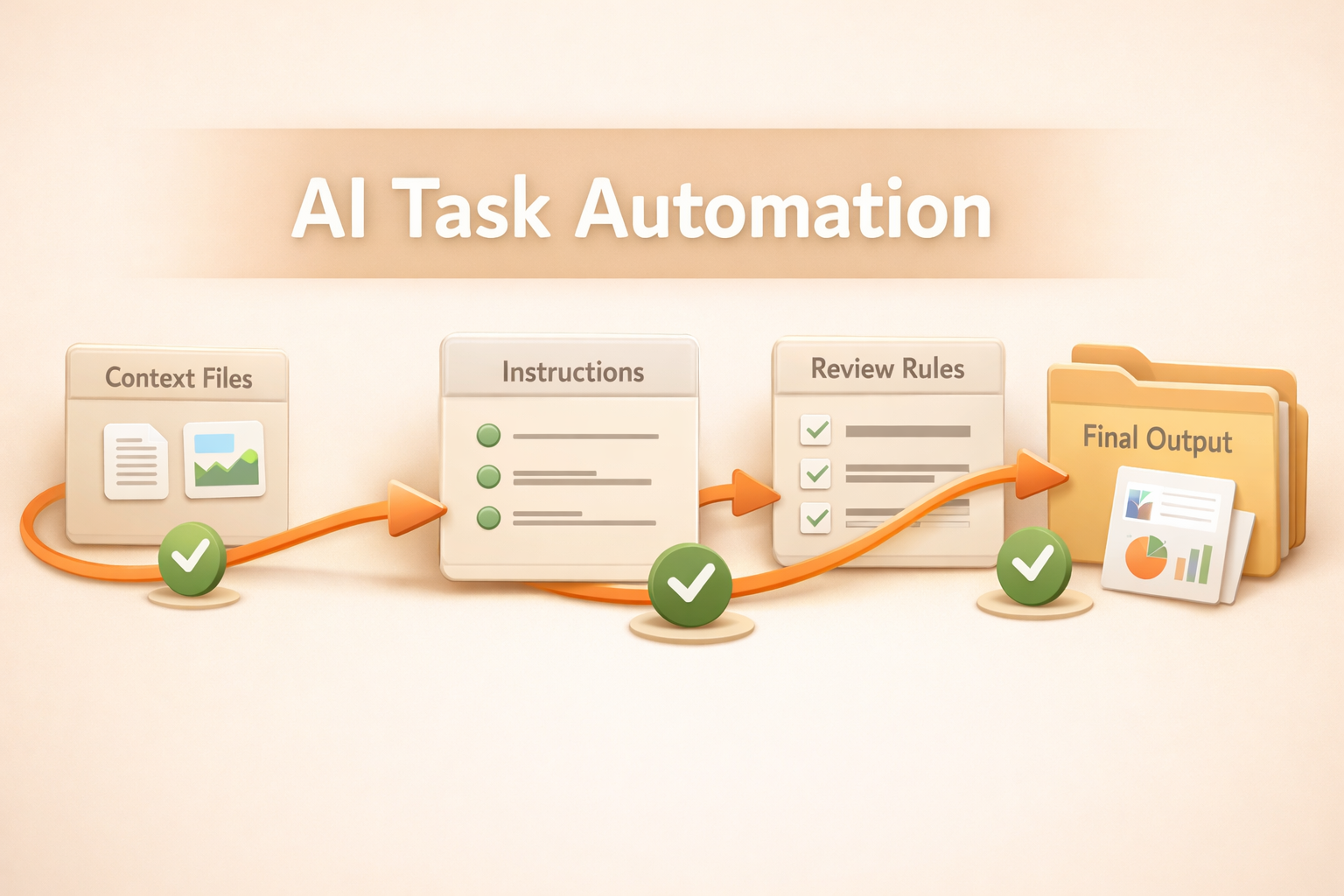
AI task automation is moving from simple rules to delegated work. Teams no longer only want a tool that says, if this happens, do that. They want an AI system that can understand a recurring task, gather context, produce useful outputs, and improve when the task changes. That shift matters because repetitive work is rarely as clean as a workflow diagram.
The timing is not accidental. The Stanford AI Index shows rapid growth in practical AI adoption, while IBM's AI in Action report points to a similar enterprise pattern: teams are looking for operational gains, not just chat experiments. AI task automation sits directly in that gap.
This guide explains what AI task automation means, what kinds of work it can actually handle, where traditional automation still fits, and how a workspace like Kuse changes the model from building brittle automations to delegating recurring work.
What is AI task automation?
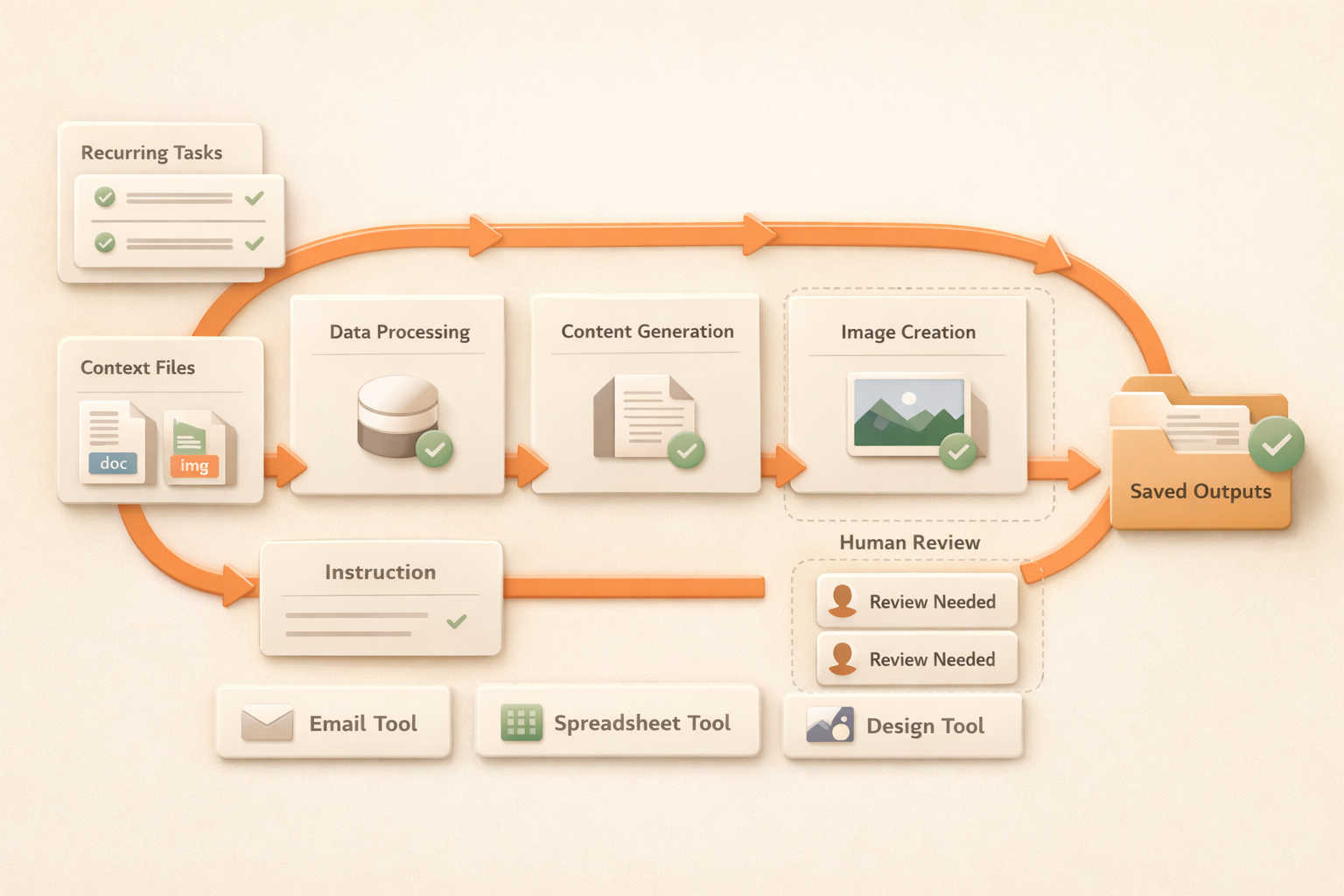
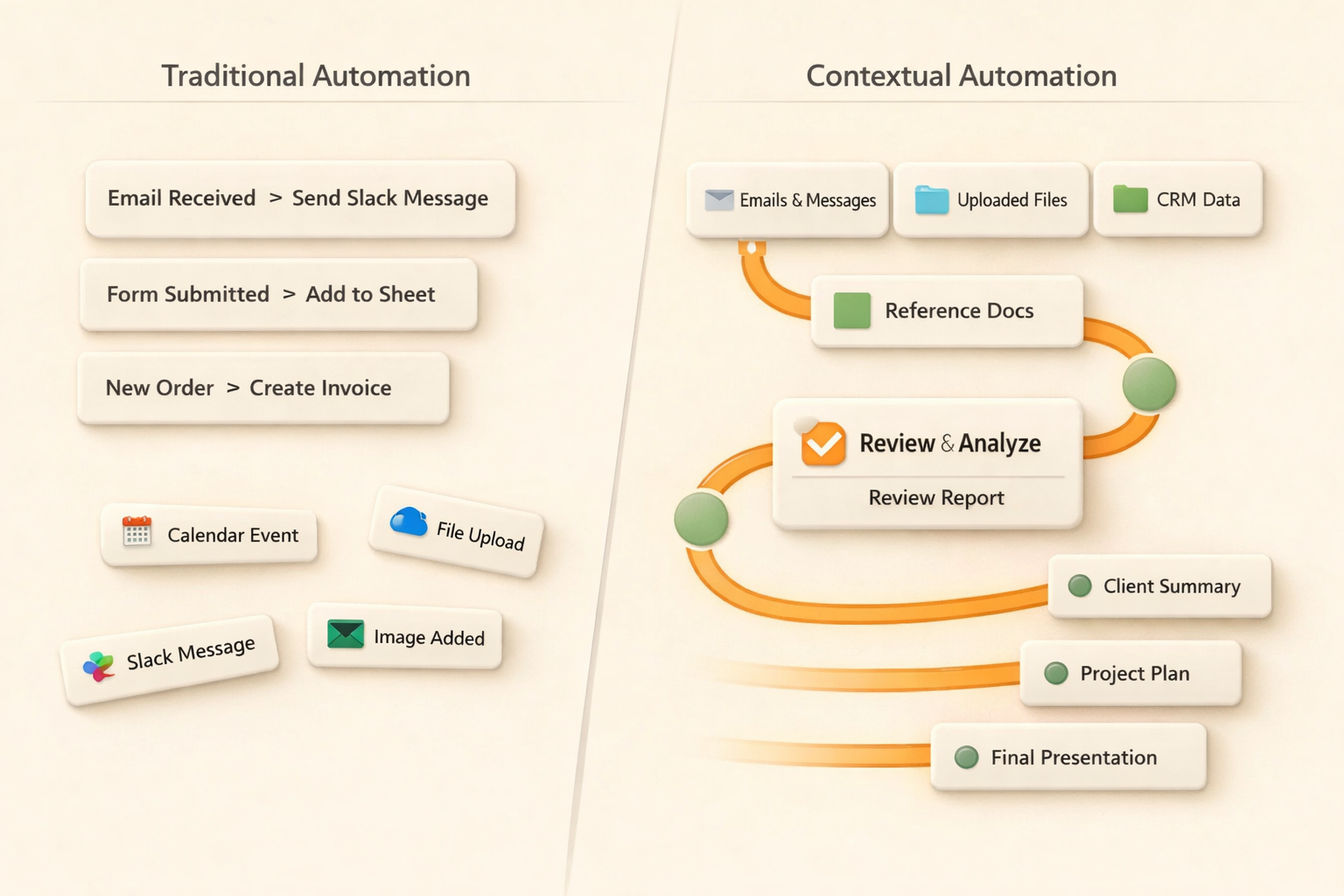
AI task automation means using AI to complete repeatable work with context, judgment, and output generation, rather than only moving data from one app to another. A traditional automation might copy a form submission into a spreadsheet. An AI task automation can read the submission, compare it with previous records, draft a response, create a summary, save the result, and flag unclear cases for review.
The important word is task. A task has an outcome, not just a trigger. It may require reading files, interpreting messy inputs, making small decisions, and producing a deliverable that a human can use. That is why AI task automation is closer to delegating work to a capable coworker than configuring a chain of app events.
For Kuse, this distinction is central. The goal is not to make users draw more complex workflow diagrams. The goal is to let them describe recurring work in plain language, connect the required context, and receive organized outputs that remain available in the workspace.
Why traditional task automation breaks down
Traditional automation is useful when the process is predictable. It works well for clean triggers, fixed fields, and simple routing. The problem is that most knowledge work is not that tidy. Inputs arrive in different formats. People phrase things differently. A missing field can change the next step. A report may need judgment, not just data transfer.
This is why many teams build automations and then quietly return to manual work. The workflow works during the demo but fails when a vendor changes an email format, a spreadsheet column moves, or a stakeholder asks for a slightly different output. The maintenance cost becomes the hidden tax.
AI task automation reduces that tax by letting the system interpret variation. It does not remove the need for good process design, but it changes who carries the burden. Instead of asking a person to maintain every branch by hand, the AI can adapt to normal variation and ask for help only when uncertainty is high.
AI task automation vs workflow automation vs AI assistants
The categories overlap, but the user experience is different. An assistant helps when asked. A workflow automation runs a rule. AI task automation should feel more like assigning a recurring responsibility: here is what needs to happen, here is where the context lives, here is what a good output looks like, run it and keep the work organized.
What tasks can AI actually automate?
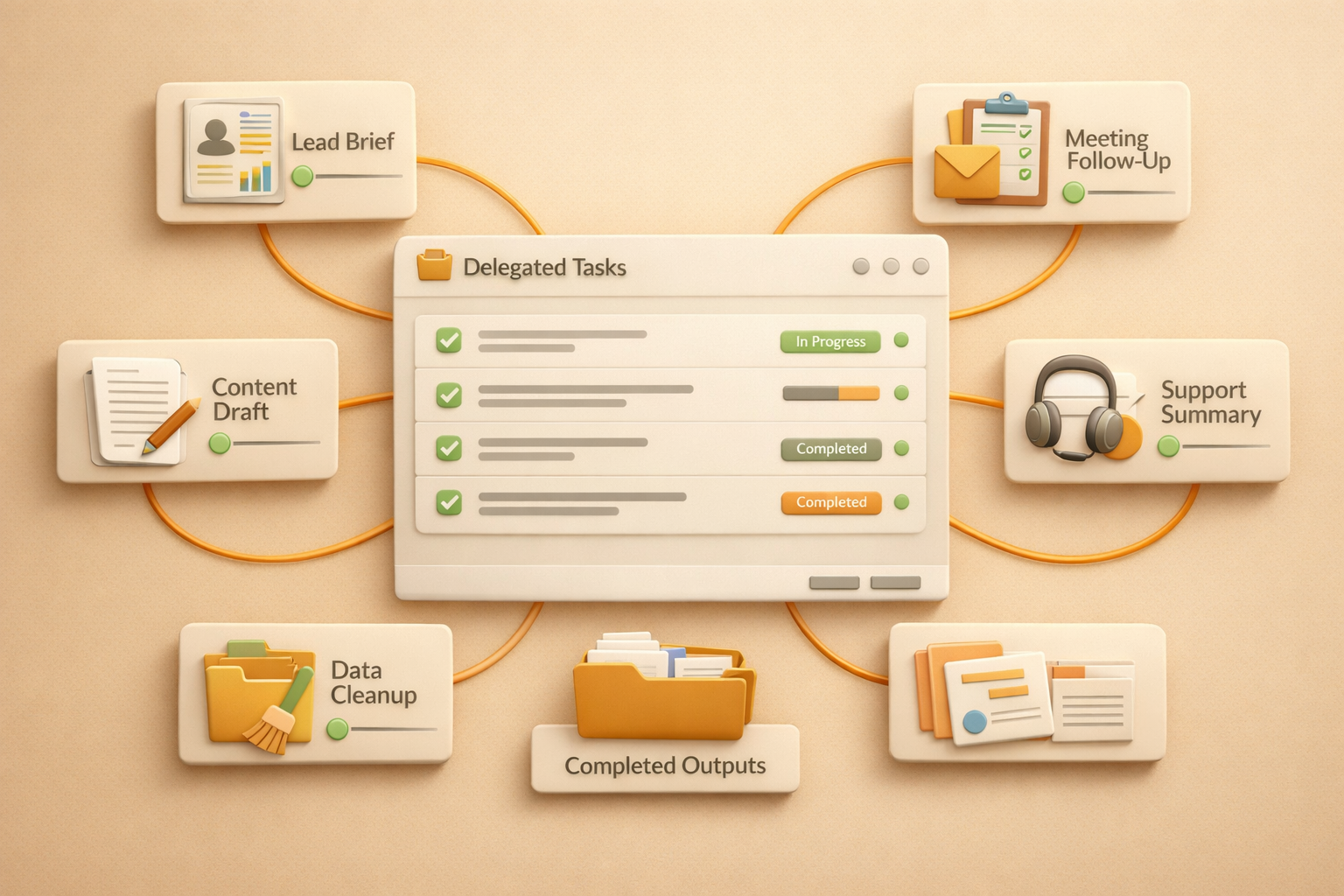
The best candidates are recurring tasks where the input varies but the desired output is stable. Weekly reports, customer summaries, meeting preparation, lead research, content repurposing, inbox triage, spreadsheet cleanup, and competitor monitoring all fit this pattern. They involve interpretation, but they do not require a human to invent a new strategy every time.
Bad candidates are tasks with unclear success criteria, high legal or financial risk, or decisions where the organization has not defined the policy. AI can assist those tasks, but full automation should wait until review rules are explicit. A useful rule is simple: automate the preparation and draft, keep humans responsible for high-stakes approval.
This is also where many AI automation articles become vague. The question is not whether AI can automate anything. The question is whether the task has enough repetition, enough accessible context, and a clear enough output standard to be safely delegated.
Examples by team
These examples show why the output layer matters. A task is not automated just because an AI message appears in chat. The output needs to be saved, organized, and reusable. Otherwise, the team still has to copy, paste, archive, and explain the result manually.
How Kuse handles AI task automation
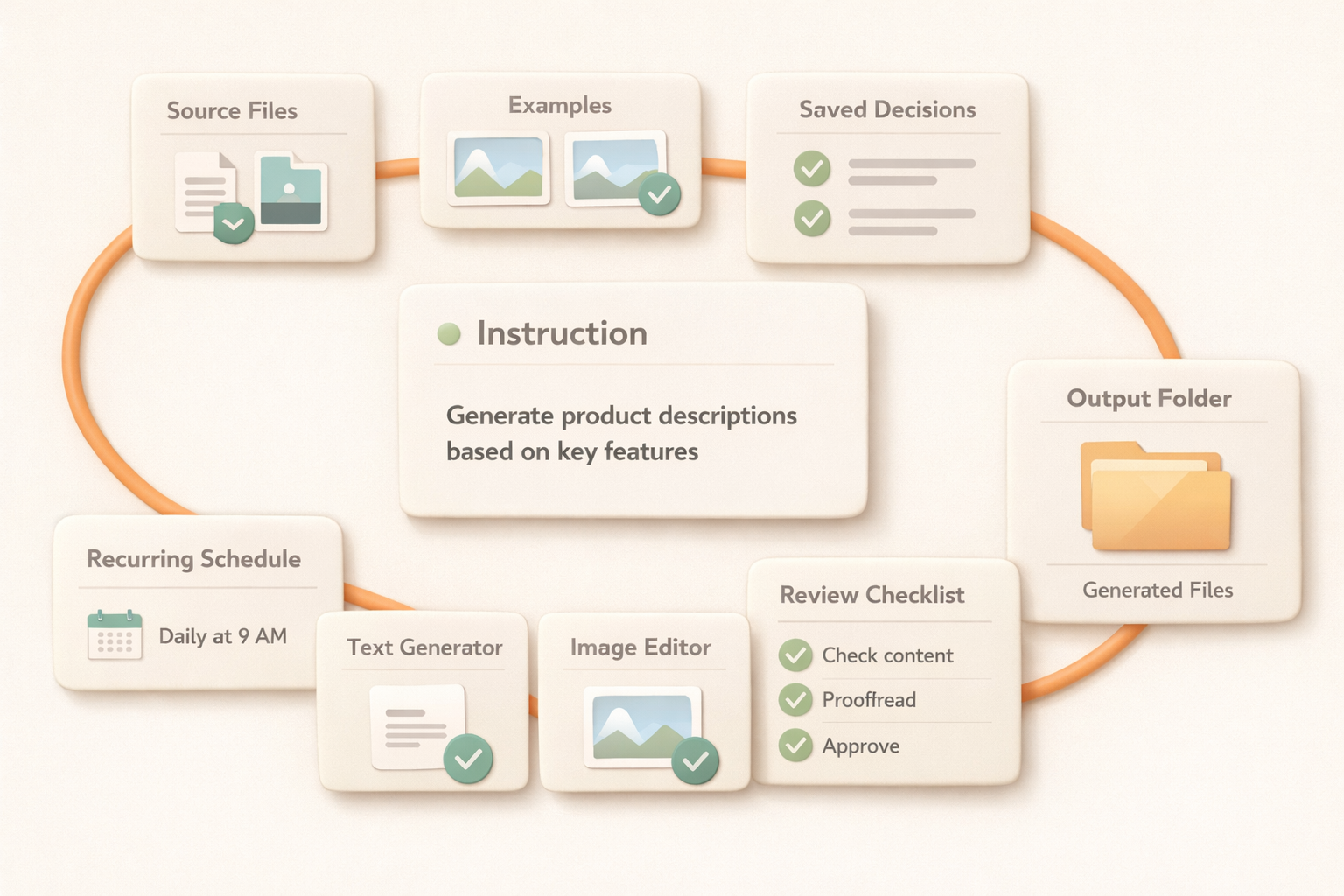
Kuse treats task automation as delegated work inside a workspace. Instead of starting from nodes, triggers, and actions, the user starts from the task: what needs to happen, how often, what sources matter, and what output is useful. Kuse can then use files, connected tools, schedules, and skills to run the work.
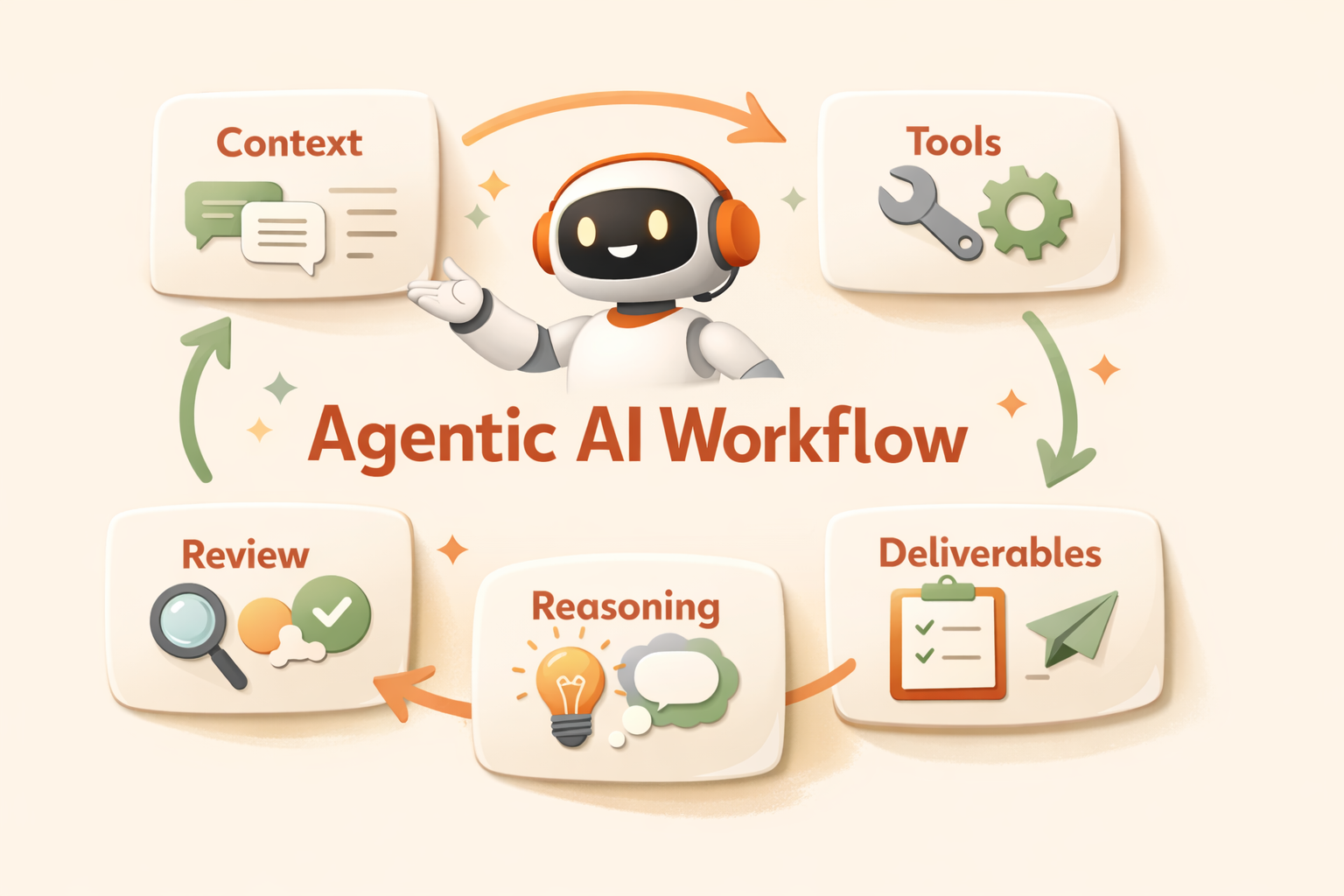
This is why AI task automation connects naturally to agentic AI workflow. The useful system is not a chatbot that answers once. It is a repeatable process that can plan, gather information, create deliverables, save results, and adapt when the task changes. Kuse's file system is important because recurring tasks produce history, and history becomes context for the next run.
Compared with tools like n8n, which are powerful for technical automation, Kuse is designed for people who want to delegate work in natural language. The deeper comparison is covered in Kuse vs n8n, but the short version is this: traditional automation asks you to build the machine, Kuse asks you to describe the work.
How to start automating repetitive tasks
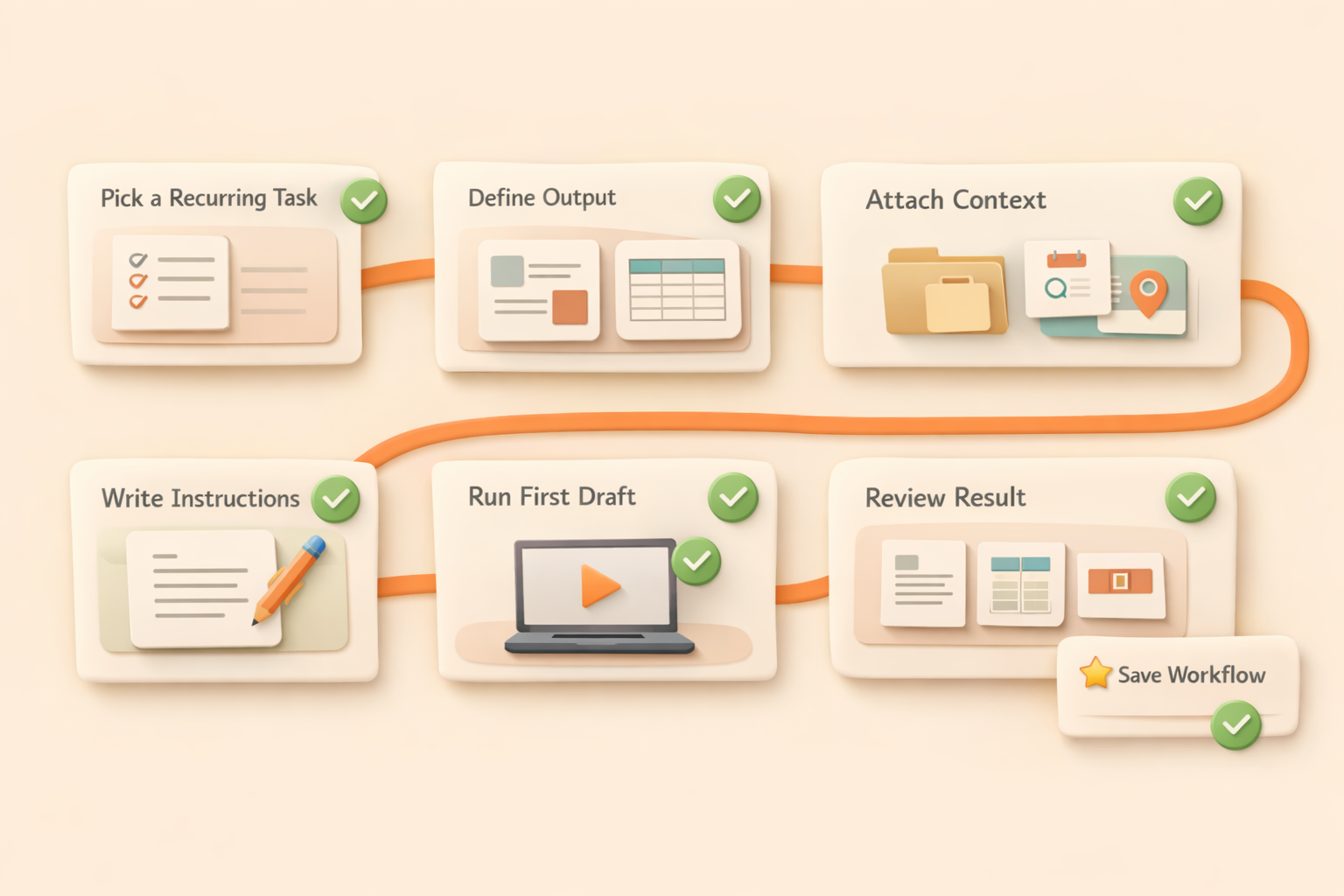
Start with one task that happens every week and already has a clear human process. Do not begin with the messiest, highest-risk workflow in the company. Pick something boring but valuable: a weekly report, lead research, meeting prep, content repurposing, or status monitoring.
Then write the task like a handoff note to a new teammate. Include the goal, the sources, the expected output, the schedule, edge cases, and what should be escalated. If you cannot explain those things to a person, you are not ready to automate the task with AI either.
Finally, review the first few outputs and tighten the instructions. AI task automation improves fastest when the review loop is concrete: this section is too long, this source matters more, this format is easier to reuse, escalate this type of uncertainty. The point is not zero supervision on day one. The point is to move from manual repetition to managed delegation.
Common mistakes to avoid
The first mistake is automating an unclear process. If nobody agrees what a good output looks like, automation will only make the confusion faster. Define the deliverable before defining the automation.
The second mistake is treating AI as a magic connector. AI can interpret and generate, but it still needs access to the right context. Files, examples, source systems, and review standards matter more than prompt cleverness.
The third mistake is hiding results in chat. For recurring work, the output should live somewhere stable. Teams need to compare this week's result with last week's result, reuse the files, and understand what changed. That is why Kuse emphasizes persistent workspace outputs instead of disposable chat replies.
What this means for teams
AI task automation is not mainly about saving a few clicks. It changes what teams should consider delegable. If a task is recurring, context-heavy, and output-driven, it no longer has to sit permanently on a human calendar. It can become a managed AI responsibility with human review where needed.
The teams that benefit first are not necessarily the most technical. They are the teams that know their recurring work clearly enough to describe it. Once the task can be described, reviewed, and improved, AI automation becomes an operating habit rather than a side project.
For more practical patterns, see these AI workflow examples. They show how recurring work becomes more valuable when the result is not just executed once, but saved as a reusable part of the team's workspace.
FAQ
Is AI task automation the same as workflow automation?
Not exactly. Workflow automation usually means predefined rules and app actions. AI task automation focuses on completing recurring work with context, interpretation, and useful outputs.
What is the best first task to automate with AI?
Choose a recurring task with clear inputs and a clear output, such as weekly reporting, lead research, meeting preparation, or content repurposing.
Can AI task automation fully replace human review?
Sometimes, but not always. Low-risk repetitive tasks can become highly automated. High-stakes decisions should keep human approval while AI handles preparation, drafting, and monitoring.
How is Kuse different from a normal AI assistant?
A normal assistant usually responds in a chat. Kuse is built around persistent work: files, workflows, scheduled tasks, and outputs that remain organized for future use.