AI Coworker vs AI Assistant: What's the Real Difference?
Understand the real difference between an AI assistant and an AI coworker, from memory and ownership to workflows and deliverables.

AI assistant vs AI coworker: the core difference
An AI assistant helps when you ask. An AI coworker keeps track of work, understands context, and produces deliverables that move a process forward. That difference sounds subtle, but it changes how teams use AI.
Why this matters now: Independent research is moving in the same direction. The Stanford AI Index tracks rapid enterprise adoption of AI, while IBM's AI in Action report shows that companies are trying to move from experimentation to daily operating impact. That is the context for this article: the question is not whether AI can answer a prompt, but whether it can help teams finish recurring work with enough context, reliability, and traceability to matter.
The assistant model is conversational. It answers, drafts, summarizes, and suggests. The coworker model is operational. It remembers, organizes, follows up, and keeps working across tasks.
The easiest way to tell them apart is ownership. If the AI waits for a prompt and returns a response, it is acting like an assistant. If the AI can carry context across files, keep outputs organized, and help a recurring process move from start to finish, it is closer to an AI coworker.
This matters because most teams do not need another place to chat. They need a way to reduce coordination work, preserve context, and turn repeated requests into reusable systems. That is where the AI coworker category becomes useful.
This article explains the real difference so you can decide what your team actually needs.
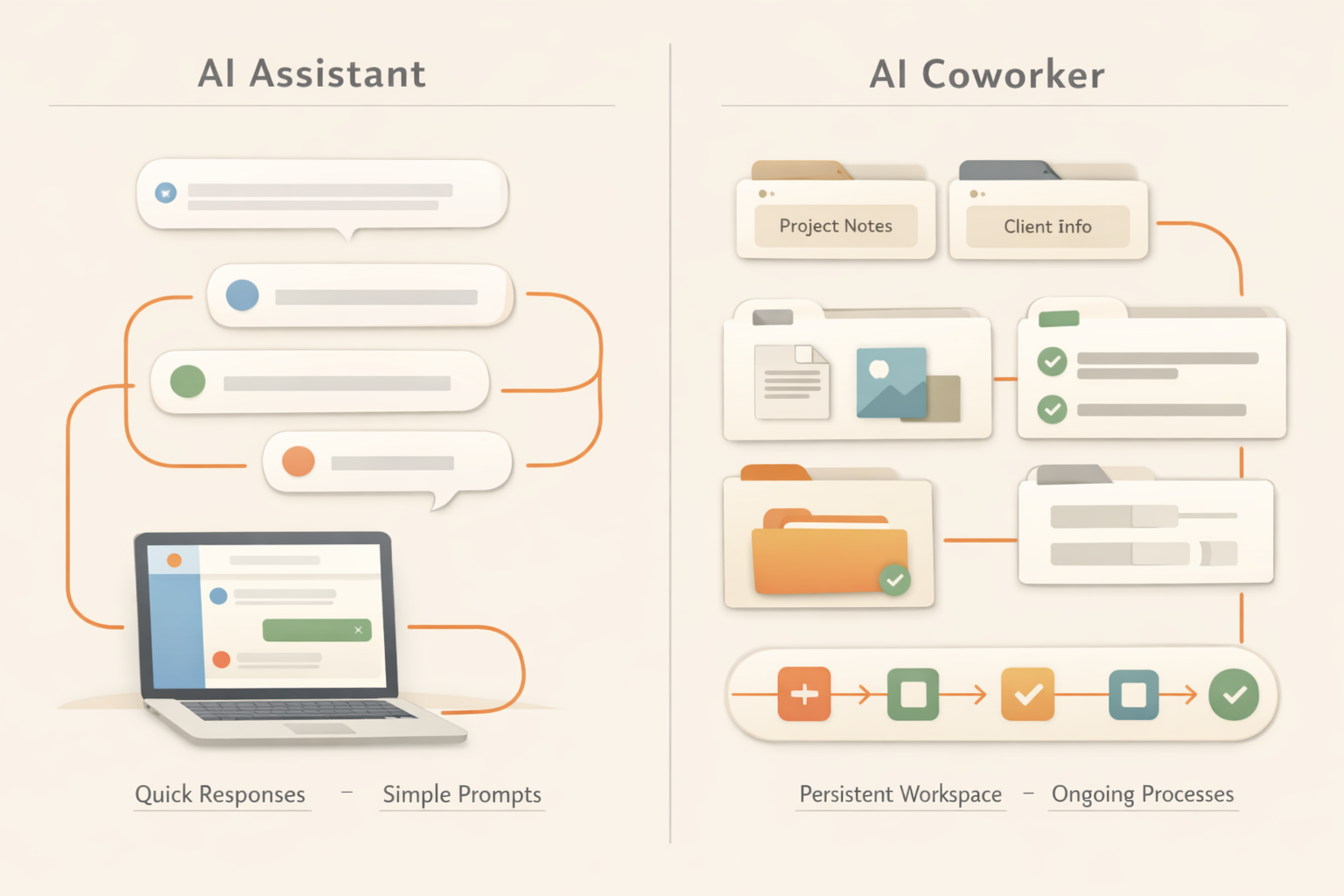
Comparison table: AI assistant vs AI coworker
| Dimension | AI assistant | AI coworker |
|---|---|---|
| Default behavior | Waits for a prompt. | Tracks work and can continue a process. |
| Memory | Often session-based or user-profile based. | Uses files, decisions, preferences, and work history as context. |
| Output | Usually text in a chat. | Documents, reports, trackers, pages, and reusable files. |
| Ownership | Helps you complete a task. | Can own a recurring workflow with review points. |
| Best for | Quick answers, drafts, brainstorming. | Recurring work, cross-tool tasks, team memory, deliverables. |
Why the difference matters
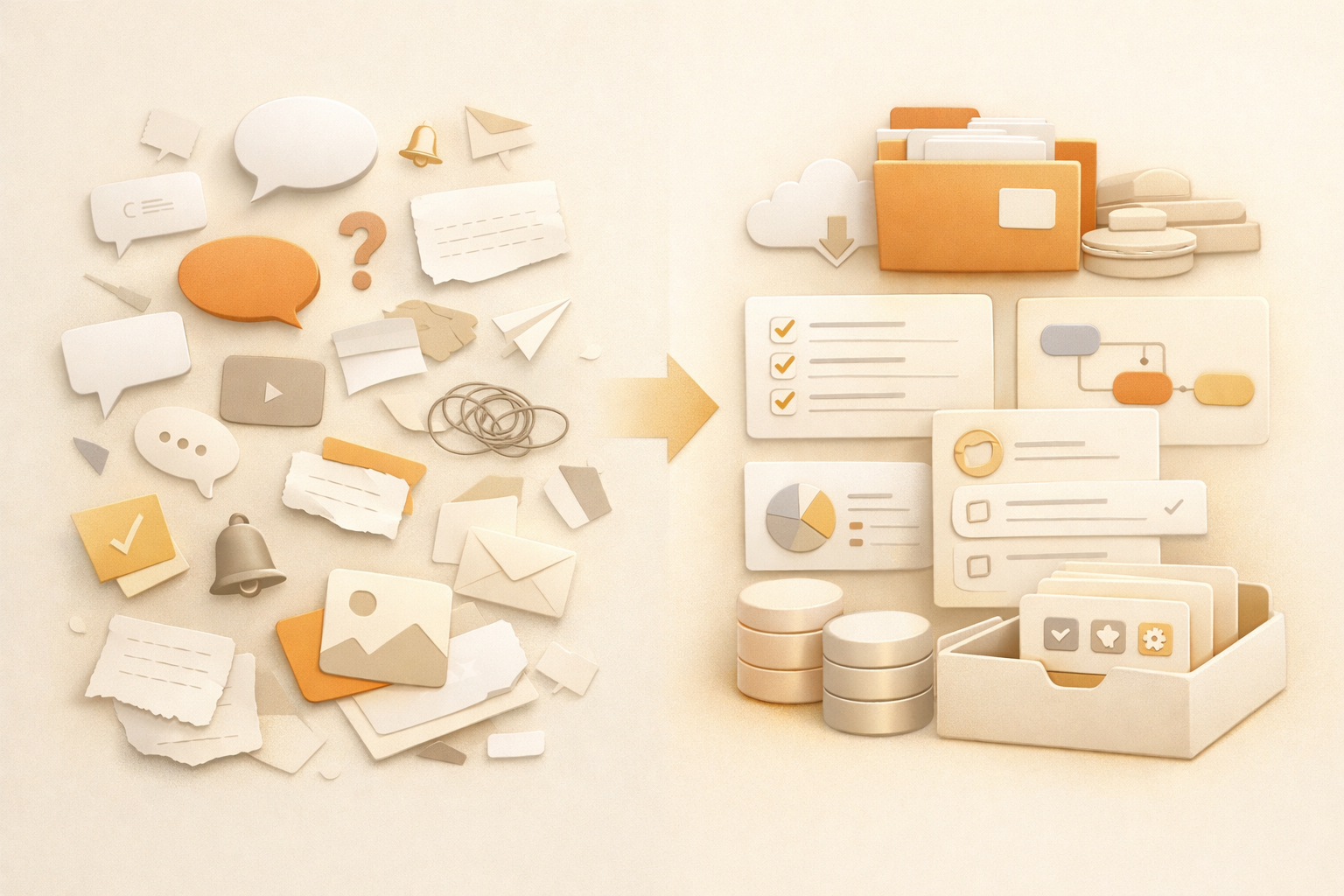
Most teams do not fail with AI because the model cannot write. They fail because the work disappears after the chat. Someone still has to remember the context, copy the result, store the file, update the next step, and repeat the same process next week.
An AI coworker is designed around continuity. It needs a memory layer, a workspace for outputs, and a way to connect recurring work. That is why the category matters.
When an AI assistant is enough
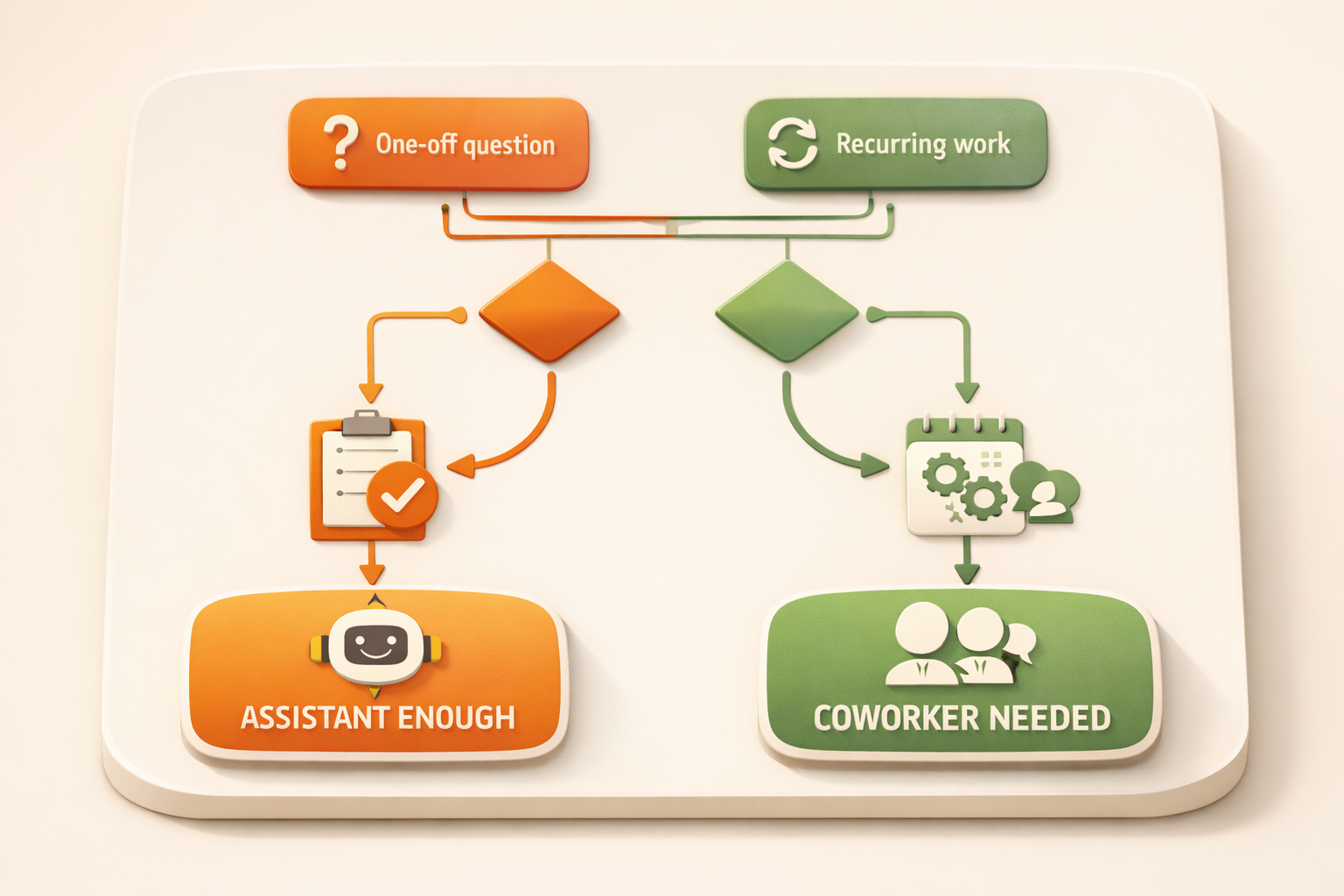
Use an AI assistant when the task is one-off, low-stakes, and does not need long-term context. Examples include rewriting a paragraph, generating ideas, summarizing a pasted article, or asking a quick question.
When you need an AI coworker
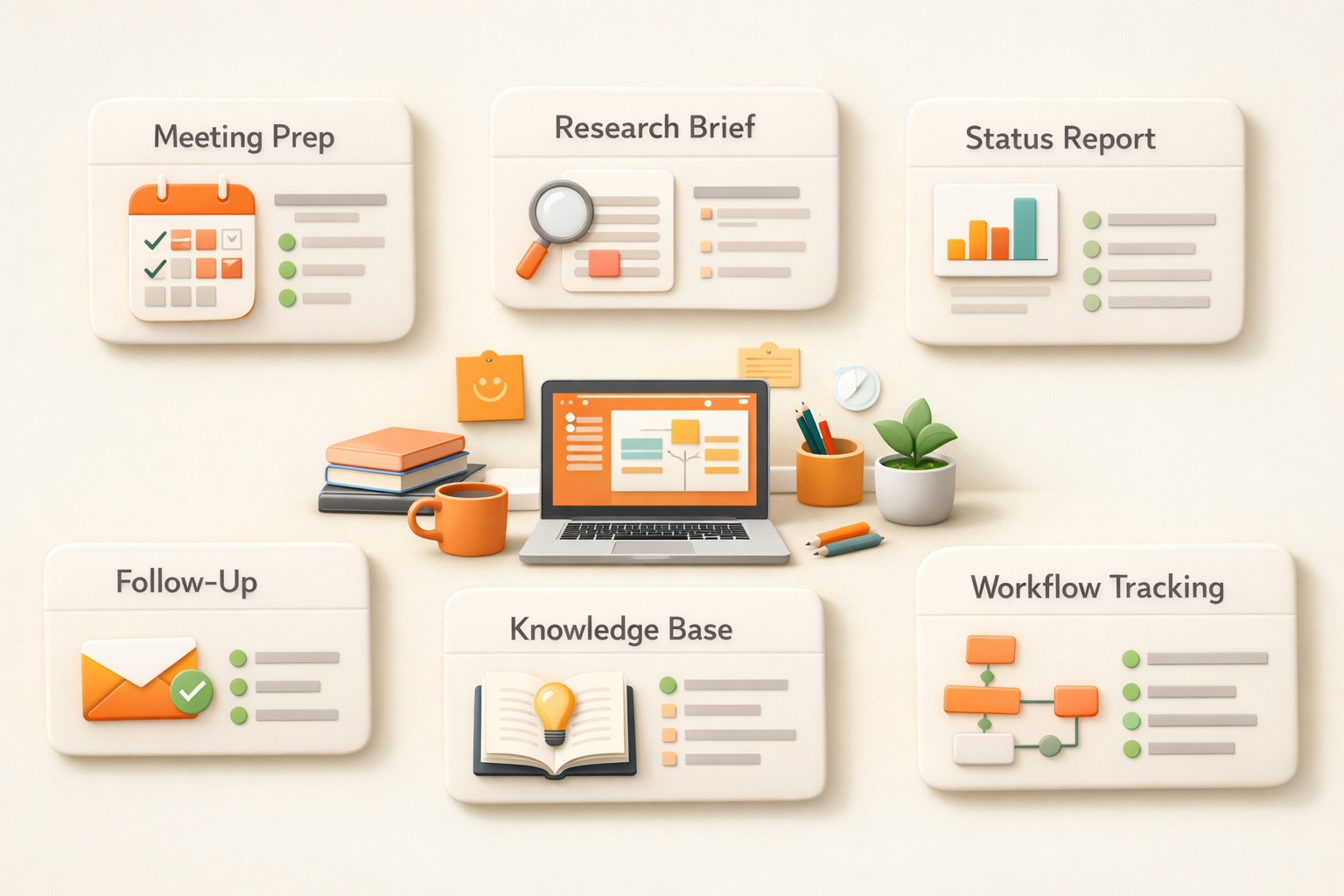
You need an AI coworker when the task repeats, touches multiple sources, or creates an output that the team will keep using. Examples include weekly reporting, meeting prep, customer follow-up, knowledge management, and sales research.
How Kuse approaches AI coworker work
Kuse gives your AI coworker a workspace. It can remember files, create deliverables, and run AI workflows that keep producing structured outputs. The goal is not to chat more. The goal is to get real work done and saved where the team can use it.
For the broader category, read AI Coworker: What It Is, How It Works, and Why It Matters.
Why AI assistants became the default
AI assistants became popular because they are easy to understand. You open a chat box, ask a question, and get an answer. For individual work, that is already useful. It makes writing faster, helps with brainstorming, and gives people a quick way to explore information without starting from a blank page.
But the same simplicity becomes a limitation inside real work. Work rarely starts and ends with one answer. A sales follow-up depends on account history. A weekly report depends on updates across projects. A product decision depends on previous discussions, customer feedback, and current priorities. If the AI cannot keep that context organized, the human still has to do the coordination work.
This is why many teams feel they are using AI every day but not actually changing how work gets done. The assistant is helpful, but the process still belongs to the human.
What makes an AI coworker different in practice
An AI coworker is not just a more powerful chatbot. The important shift is that the AI is connected to a workspace and can keep useful state over time. It can remember the files that matter, produce outputs in repeatable formats, and support a workflow that continues after the first message.
For example, an assistant can draft a customer email if you paste the context. An AI coworker should know where the customer notes live, read the latest status, draft the email, save the output, and make the next follow-up easier. An assistant can summarize a meeting transcript. An AI coworker should connect that summary to decisions, action items, related docs, and future prep work.
The difference is not whether the model sounds smart. The difference is whether the AI reduces the amount of context assembly, formatting, filing, and follow-up that people normally do around the answer.
Real work examples
Sales: An assistant can write a follow-up email. An AI coworker can prepare the account brief, draft the email, remember past objections, and keep the deal notes organized for the next call.
Marketing: An assistant can rewrite a blog post into a social post. An AI coworker can turn one asset into a campaign pack, keep the source material attached, and save all versions where the team can reuse them.
Operations: An assistant can explain a process. An AI coworker can monitor the process, flag missing updates, maintain a tracker, and produce a weekly summary.
Product: An assistant can summarize feedback. An AI coworker can keep feedback connected to decisions, specs, customer context, and follow-up tasks.
How to decide which one your team needs
Choose an AI assistant when the job is one-off, mostly text-based, and does not need memory. Choose an AI coworker when the job repeats, depends on multiple sources, or creates an output that needs to be saved and reused.
A simple test is to ask: if a person left the team tomorrow, would the AI still have enough context to help continue the work? If the answer is no, you probably need more than an assistant. You need a workspace, memory, and a workflow layer around the model.
That is the direction Kuse is built for. Kuse is not trying to make people chat with AI more often. It is trying to make AI responsible for more of the work around the chat: collecting context, creating deliverables, saving outputs, and helping repeated work run again.
What changes when AI becomes part of the operating system of work
A useful way to separate an AI assistant from an AI coworker is to look at the unit of work. An assistant usually helps with one request: summarize this, rewrite that, draft this email. Those tasks are valuable, but they still leave the surrounding coordination to the human. The user decides what context to paste, where the result should go, who needs to review it, and what should happen next.
An AI coworker changes the unit of work from a single answer to a repeatable work loop. It can remember the relevant files, understand the expected output, keep a history of prior decisions, and produce work in a place where the team can inspect it later. That is why the distinction matters for managers. The more important question is not which model is smarter in a chat window, but which system reduces the number of handoffs, reminders, copy-paste steps, and forgotten context around real work.
This is also why AI coworker adoption tends to start with recurring work rather than one-off brainstorming. Weekly reports, meeting preparation, prospect research, research briefs, and content repurposing all have clear inputs, expected outputs, and review moments. They are specific enough for AI to help, but frequent enough that the saved coordination time compounds.
How this changes daily team management
The practical difference shows up in the small management habits that consume a surprising amount of time. A manager does not only need a better draft. They need to know whether the source material was complete, whether the latest decision was included, whether the output was saved somewhere the team can find, and whether the same task can happen again next week without rebuilding the prompt from scratch. AI assistants help with the draft. AI coworkers are meant to reduce the surrounding operational drag.
Take a weekly business review. With an assistant, someone still gathers the notes, exports the metrics, pastes updates into a chat, checks whether the answer missed anything, copies the output into a doc, formats the doc, and reminds everyone to read it. With an AI coworker, the expected behavior is different. The system should know where the inputs live, generate the recurring report in the right structure, preserve the source context, and let the human review the final output rather than reassemble the whole process every time.
This is why the better adoption question is not “Can AI write this?” Most AI tools can write something. The better question is “Can AI own enough of the work loop that the human only handles review, judgment, and exceptions?” That is the difference between productivity theater and actual operating leverage. If a tool produces a clever answer but creates five follow-up steps, it has not really changed the workflow. If it removes the need to chase context, rebuild instructions, and move files between systems, the team starts to feel the difference.
There are still limits. An AI coworker should not silently make high-stakes decisions, approve sensitive actions, or replace accountable owners. The right model is delegation with review. Humans define the goal, constraints, and quality bar. The AI prepares and runs the repeatable parts. The team checks the output, gives corrections, and gradually turns those corrections into persistent working memory.
Common mistakes to avoid
The easiest mistake is to treat AI adoption as a writing shortcut rather than a work design problem. A team may generate more drafts, summaries, and ideas, but still lose time because every result has to be checked, moved, reformatted, and explained to the next person. That is why good AI implementation starts with the full work loop, not only the prompt.
The second mistake is choosing tasks that are too vague. If nobody can describe the input, output, quality bar, and review owner, the AI will produce inconsistent work. A better approach is to start with one narrow recurring process, make the expected output very clear, then expand after the team trusts the result.
The third mistake is removing human review too early. The goal is not to pretend AI has perfect judgment. The goal is to let AI prepare the repeatable parts so humans spend more time on decisions, exceptions, and taste. That boundary makes adoption safer and usually makes the final work better.
FAQ
What is an AI coworker?
An AI coworker is an AI system that can remember context, work across tasks, and produce deliverables instead of only answering questions in chat.
Is an AI coworker the same as an AI assistant?
No. An assistant usually responds to prompts. A coworker is designed for continuity, ownership, and reusable work outputs.
Do I still need to review AI coworker output?
Yes. The best model is human review with AI execution. The AI coworker handles busywork and drafts, while people approve decisions and final outputs.
What makes Kuse different?
Kuse combines workspace memory, content creation, and AI workflow automation so work does not disappear after one conversation.
Start working with your AI coworker
Kuse turns recurring work into an AI workflow with memory, connected tools, and reusable outputs. Try Kuse for free and build a workflow that keeps working after the chat ends.