AI Coworker vs AI Assistant: 진짜 차이는 무엇일까?
AI 어시스턴트와 AI 동료의 차이를 기억, 책임, 워크플로, 결과물 관점에서 정리합니다.

AI 어시스턴트와 AI 동료의 핵심 차이
AI 어시스턴트는 요청할 때 도와줍니다. AI 동료는 업무 맥락을 추적하고 기억하며 프로세스를 앞으로 움직이는 결과물을 만듭니다. 이 차이는 작아 보이지만 팀의 AI 활용 방식을 바꿉니다.
지금 이 주제가 중요한 이유: 외부 조사도 같은 흐름을 보여줍니다. Stanford AI Index는 기업의 AI 도입이 빠르게 확산되고 있음을 추적하고, IBM AI in Action report는 기업들이 실험을 넘어 일상 업무 성과로 AI를 연결하려 한다는 점을 보여줍니다. 이 글의 핵심 질문은 AI가 프롬프트에 답할 수 있는지가 아닙니다. 충분한 맥락, 신뢰성, 추적 가능성을 가지고 반복 업무를 실제로 끝낼 수 있는지입니다.
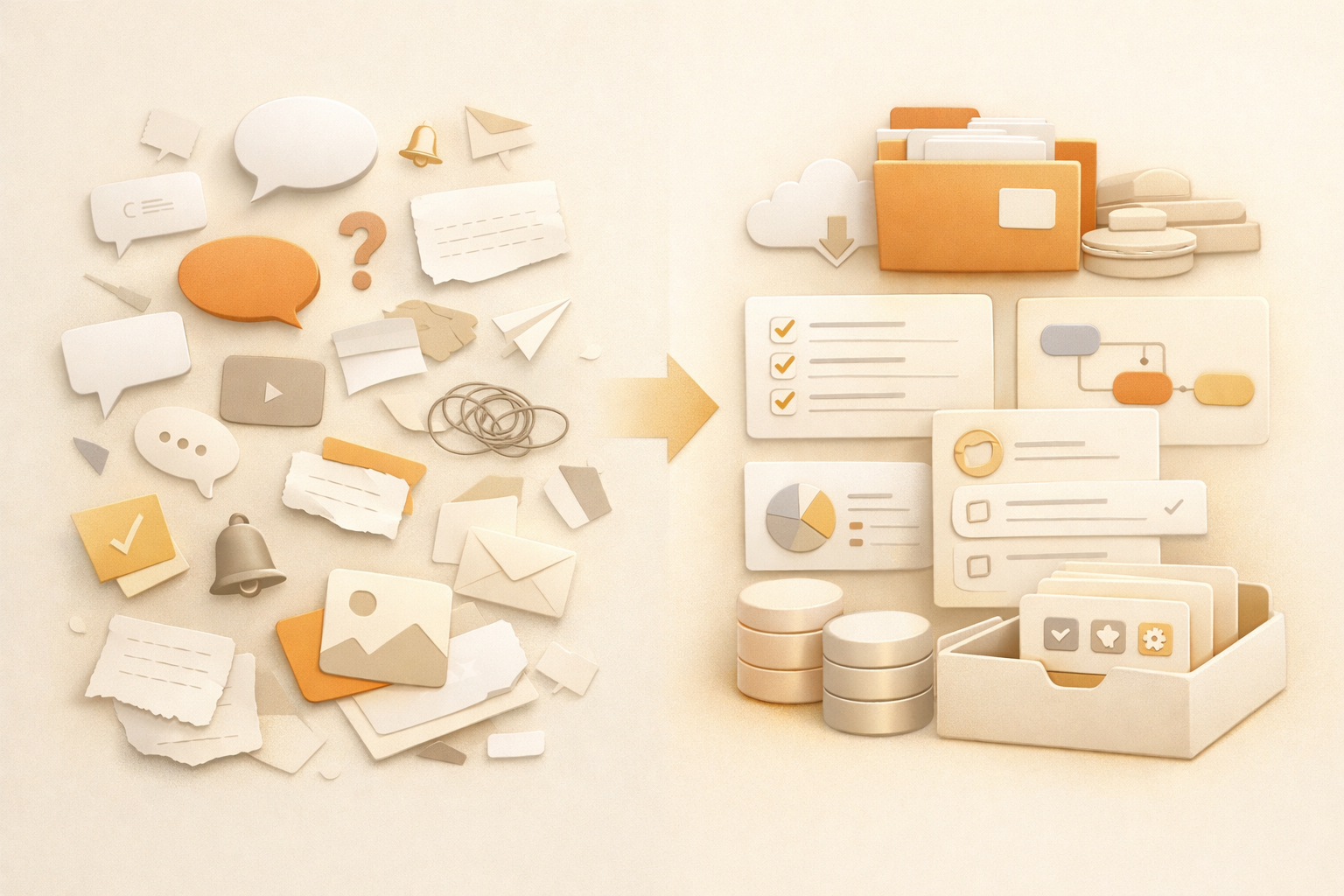
어시스턴트 모델은 대화 중심입니다. 답하고, 초안을 쓰고, 요약하고, 제안합니다. 동료 모델은 운영 중심입니다. 기억하고, 정리하고, 후속 작업을 이어가며, 여러 업무를 넘나들며 계속 일합니다.
가장 쉬운 구분 기준은 소유권입니다. AI가 프롬프트를 기다리고 답변만 반환한다면 어시스턴트에 가깝습니다. 파일과 맥락을 이어가고, 결과물을 정리하며, 반복 프로세스를 처음부터 끝까지 밀고 갈 수 있다면 AI 동료에 가깝습니다.
대부분의 팀에 필요한 것은 채팅 공간을 하나 더 늘리는 것이 아닙니다. 필요한 것은 조율 비용을 줄이고, 맥락을 보존하며, 반복 요청을 재사용 가능한 시스템으로 바꾸는 방법입니다.
이 글은 그 차이를 명확히 설명해 팀에 필요한 AI가 무엇인지 판단할 수 있게 합니다.
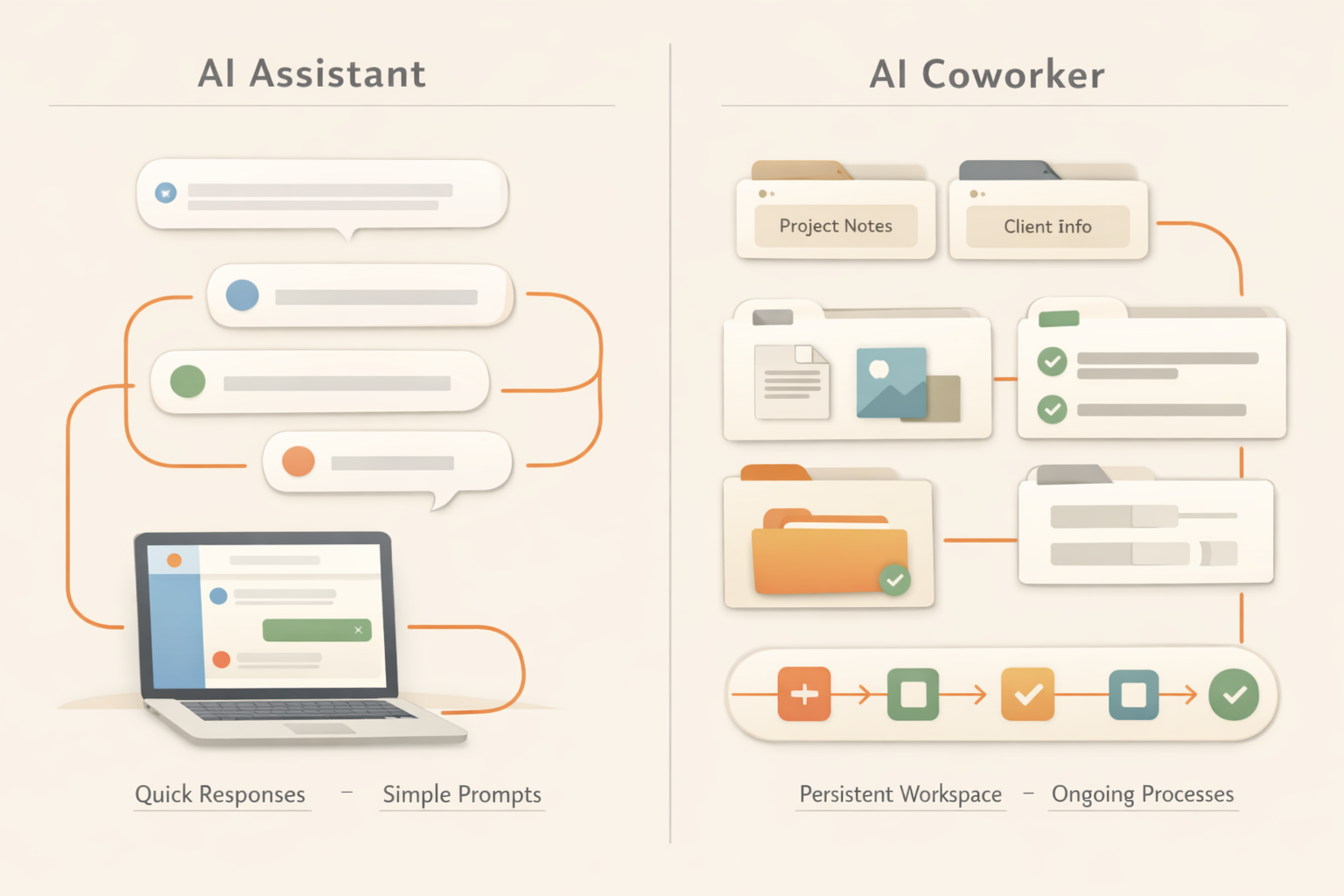
비교표: AI 어시스턴트 vs AI 동료
| Dimension | AI assistant | AI coworker |
|---|---|---|
| Default behavior | Waits for a prompt. | Tracks work and can continue a process. |
| Memory | Often session-based or user-profile based. | Uses files, decisions, preferences, and work history as context. |
| Output | Usually text in a chat. | Documents, reports, trackers, pages, and reusable files. |
| Ownership | Helps you complete a task. | Can own a recurring workflow with review points. |
| Best for | Quick answers, drafts, brainstorming. | Recurring work, cross-tool tasks, team memory, deliverables. |
왜 이 차이가 중요한가
팀이 AI 활용에 실패하는 이유는 모델이 글을 못 써서가 아닙니다. 대화가 끝나면 일이 사라지기 때문입니다. 누군가는 맥락을 기억하고, 결과를 저장하고, 다음 단계를 업데이트해야 합니다.
AI 어시스턴트로 충분한 경우
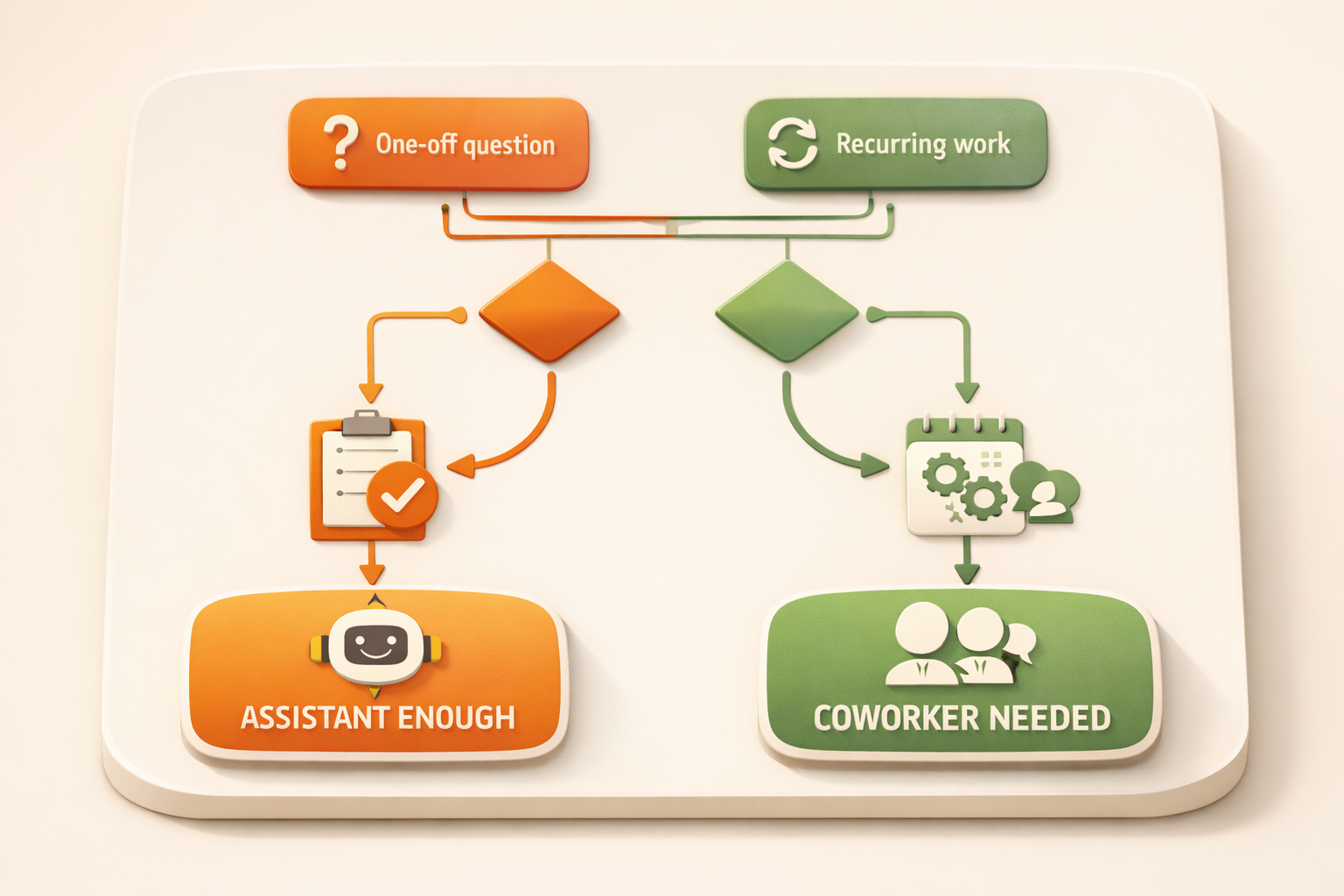
일회성이고 위험이 낮으며 장기 맥락이 필요 없는 작업이라면 AI 어시스턴트로 충분합니다.
AI 동료가 필요한 경우
반복되고 여러 소스를 다루며 팀이 계속 사용할 결과물을 만든다면 AI 동료가 필요합니다.
Kuse는 기억, 결과물 생성, AI 워크플로를 하나의 워크스페이스에 결합합니다.
왜 AI 어시스턴트가 기본 형태가 되었나
AI 어시스턴트는 이해하기 쉽습니다. 채팅창을 열고, 질문하고, 답을 받습니다. 개인 업무에서는 이미 충분히 유용하며 글쓰기, 아이디어 정리, 정보 탐색을 빠르게 합니다.
하지만 실제 업무는 하나의 답변으로 끝나지 않습니다. 영업 후속 작업에는 고객 히스토리가 필요하고, 주간 보고에는 여러 프로젝트 업데이트가 필요하며, 제품 의사결정에는 과거 논의와 고객 피드백이 필요합니다.
실무에서의 차이
AI 동료는 더 강한 챗봇이 아닙니다. 핵심은 워크스페이스에 연결되고 업무 상태를 유지할 수 있다는 점입니다. 파일을 기억하고, 반복 가능한 형식으로 결과물을 만들며, 첫 메시지 이후에도 이어지는 워크플로를 지원합니다.
AI 어시스턴트는 맥락을 붙여 넣으면 이메일을 쓸 수 있습니다. AI 동료는 고객 노트를 찾고, 최신 상태를 읽고, 이메일을 작성하고, 결과를 저장하며, 다음 후속 작업을 더 쉽게 만듭니다.
실제 업무 예시
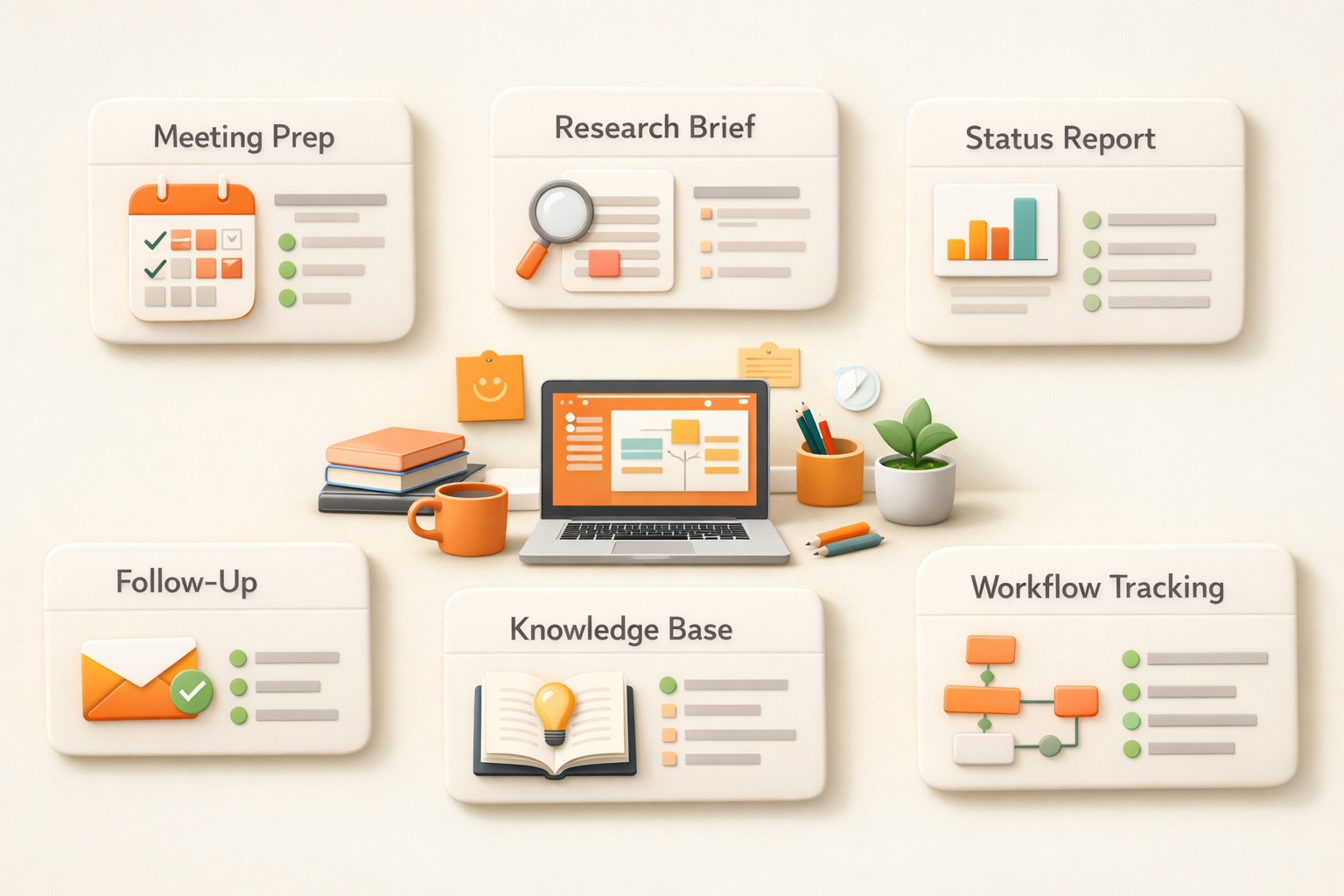
Sales: 후속 이메일뿐 아니라 계정 브리프, 과거 반응, 다음 콜 노트까지 정리합니다.
Marketing: 하나의 콘텐츠를 여러 채널용 캠페인 팩으로 바꾸고 원본과 버전을 저장합니다.
Operations: 프로세스를 설명하는 것을 넘어 누락을 감지하고 트래커를 유지하며 주간 요약을 만듭니다.
무엇이 필요한지 판단하는 법
일회성이고 기억이 필요 없다면 AI 어시스턴트로 충분합니다. 반복되고 여러 출처에 의존하며 저장해야 할 결과물이 있다면 AI 동료가 필요합니다.
What changes when AI becomes part of the operating system of work
A useful way to separate an AI assistant from an AI coworker is to look at the unit of work. An assistant usually helps with one request: summarize this, rewrite that, draft this email. Those tasks are valuable, but they still leave the surrounding coordination to the human. The user decides what context to paste, where the result should go, who needs to review it, and what should happen next.
An AI coworker changes the unit of work from a single answer to a repeatable work loop. It can remember the relevant files, understand the expected output, keep a history of prior decisions, and produce work in a place where the team can inspect it later. That is why the distinction matters for managers. The more important question is not which model is smarter in a chat window, but which system reduces the number of handoffs, reminders, copy-paste steps, and forgotten context around real work.
This is also why AI coworker adoption tends to start with recurring work rather than one-off brainstorming. Weekly reports, meeting preparation, prospect research, research briefs, and content repurposing all have clear inputs, expected outputs, and review moments. They are specific enough for AI to help, but frequent enough that the saved coordination time compounds.
AI coworker が実務で変えること
실무에서 중요한 것은 AI가 글을 쓸 수 있는지만이 아닙니다. 입력이 어디에 있고, 결과를 누가 검토하며, 어디에 저장되고, 다음에도 같은 품질로 반복될 수 있는지가 더 중요합니다. 좋은 워크플로는 이 주변 조정 비용을 줄입니다.
그래서 처음 자동화할 업무는 자주 발생하고, 입력이 비슷하며, 사람이 빠르게 검토할 수 있는 결과가 있는 업무가 좋습니다. 회의 준비, 주간 보고, 리서치, 콘텐츠 재활용, 영업 준비가 대표적입니다.
Common mistakes to avoid
The easiest mistake is to treat AI adoption as a writing shortcut rather than a work design problem. A team may generate more drafts, summaries, and ideas, but still lose time because every result has to be checked, moved, reformatted, and explained to the next person. That is why good AI implementation starts with the full work loop, not only the prompt.
The second mistake is choosing tasks that are too vague. If nobody can describe the input, output, quality bar, and review owner, the AI will produce inconsistent work. A better approach is to start with one narrow recurring process, make the expected output very clear, then expand after the team trusts the result.
The third mistake is removing human review too early. The goal is not to pretend AI has perfect judgment. The goal is to let AI prepare the repeatable parts so humans spend more time on decisions, exceptions, and taste. That boundary makes adoption safer and usually makes the final work better.
FAQ
AI 동료란 무엇인가요?
맥락을 기억하고 여러 업무를 넘나들며 결과물을 만드는 AI 시스템입니다.
AI 어시스턴트와 같은가요?
아닙니다. 어시스턴트는 프롬프트에 응답하고, 동료는 연속성과 결과물을 전제로 합니다.
Start working with your AI coworker
Kuse turns recurring work into an AI workflow with memory, connected tools, and reusable outputs. Try Kuse for free and build a workflow that keeps working after the chat ends.