AI Coworker vs AI Assistant: 本当の違いとは?
AIアシスタントとAI同僚の違いを、記憶、責任範囲、ワークフロー、成果物の観点から整理します。

AIアシスタントとAI同僚の本質的な違い
AIアシスタントは、依頼されたときに助けます。AI同僚は、仕事の文脈を追跡し、記憶し、プロセスを前に進める成果物を作ります。この違いは小さく見えますが、チームのAI活用を大きく変えます。
いま重要な理由: 第三者の調査も同じ方向を示しています。Stanford AI Index は企業でのAI活用が急速に広がっていることを示し、IBMのAI in Action report は、多くの企業が実験段階から日々の業務成果へ移ろうとしていることを示しています。この記事で扱う問いは、AIがプロンプトに答えられるかではありません。十分な文脈、信頼性、追跡可能性を持って、チームの反復業務を終わらせられるかです。
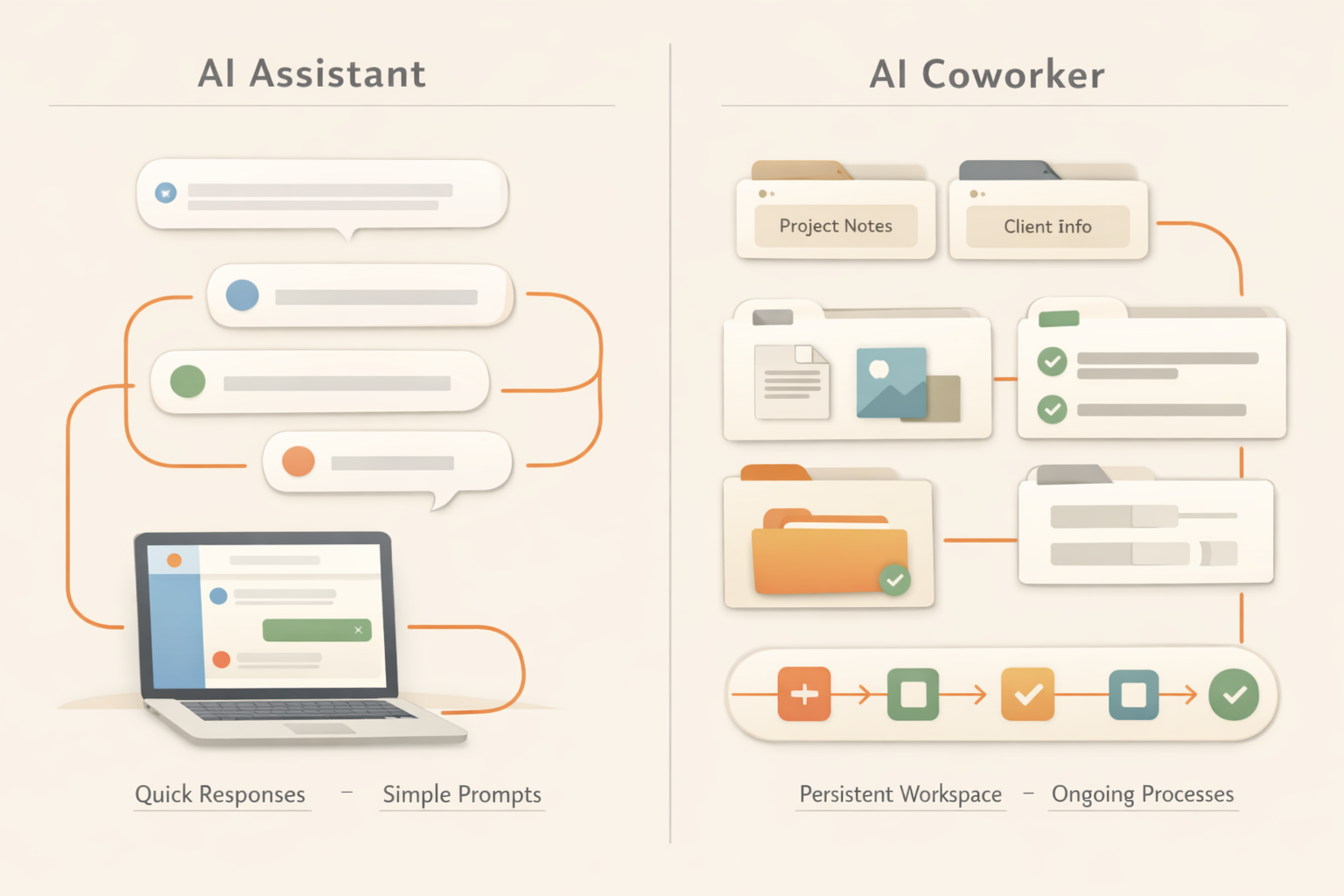
アシスタント型は会話中心です。回答、下書き、要約、提案をします。同僚型は業務中心です。記憶し、整理し、フォローし、タスクをまたいで働き続けます。
見分けるポイントは、AIが仕事を所有できるかどうかです。プロンプトを待って返答するだけならアシスタントです。ファイルをまたいで文脈を保ち、出力を整理し、繰り返し発生する業務を進められるなら、AI同僚に近づきます。
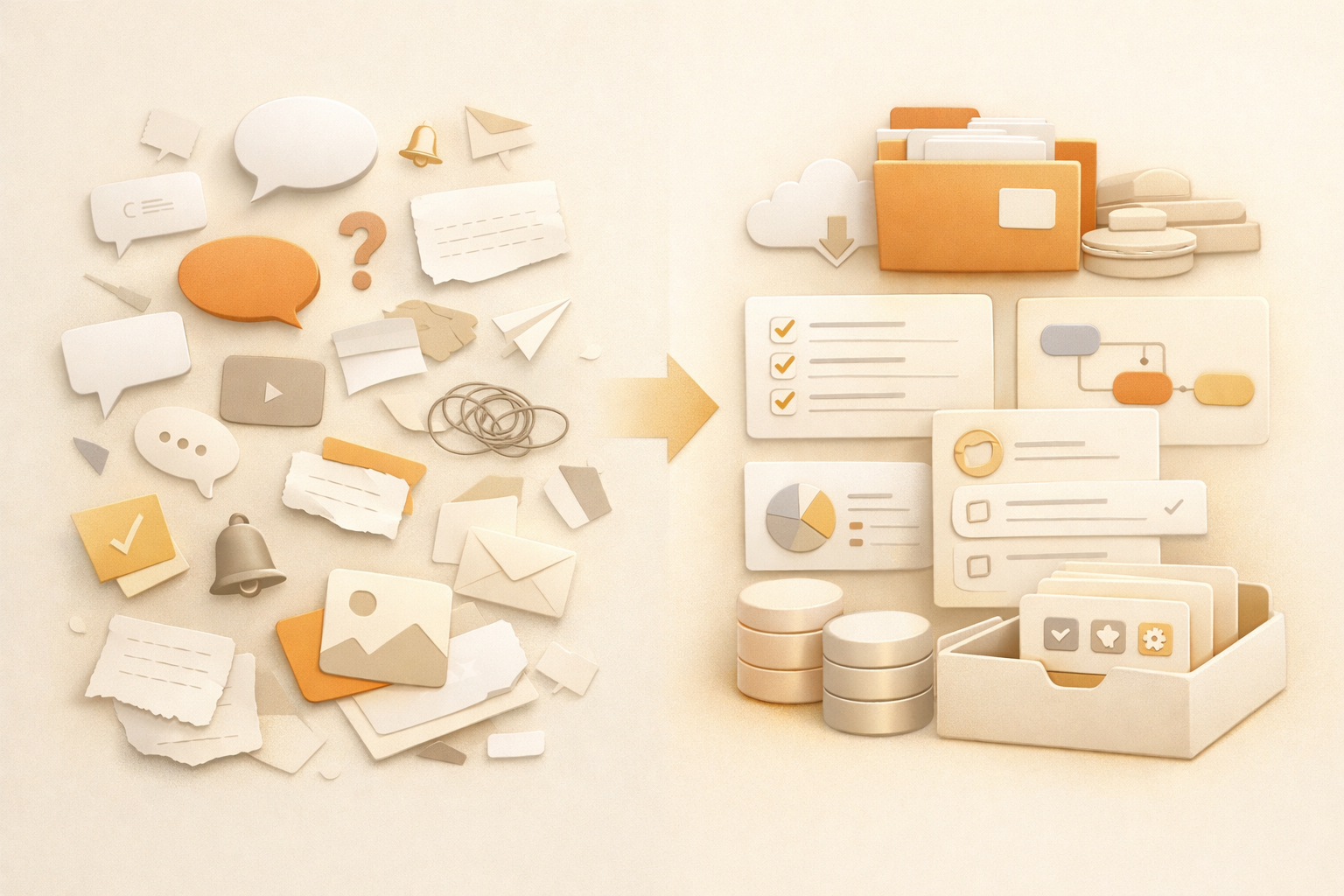
多くのチームに必要なのは、チャットの場所を増やすことではありません。必要なのは、調整コストを減らし、文脈を残し、繰り返し依頼される仕事を再利用できる仕組みに変えることです。
この記事では、その本当の違いを整理し、チームに必要なAIを判断できるようにします。
比較表: AIアシスタント vs AI同僚
| Dimension | AI assistant | AI coworker |
|---|---|---|
| Default behavior | Waits for a prompt. | Tracks work and can continue a process. |
| Memory | Often session-based or user-profile based. | Uses files, decisions, preferences, and work history as context. |
| Output | Usually text in a chat. | Documents, reports, trackers, pages, and reusable files. |
| Ownership | Helps you complete a task. | Can own a recurring workflow with review points. |
| Best for | Quick answers, drafts, brainstorming. | Recurring work, cross-tool tasks, team memory, deliverables. |
なぜ違いが重要なのか
多くのチームがAIで失敗する理由は、モデルが書けないからではありません。チャット後に仕事が消えるからです。文脈を覚え、結果を保存し、次の手順を更新する人がまだ必要です。
AIアシスタントで十分な場合
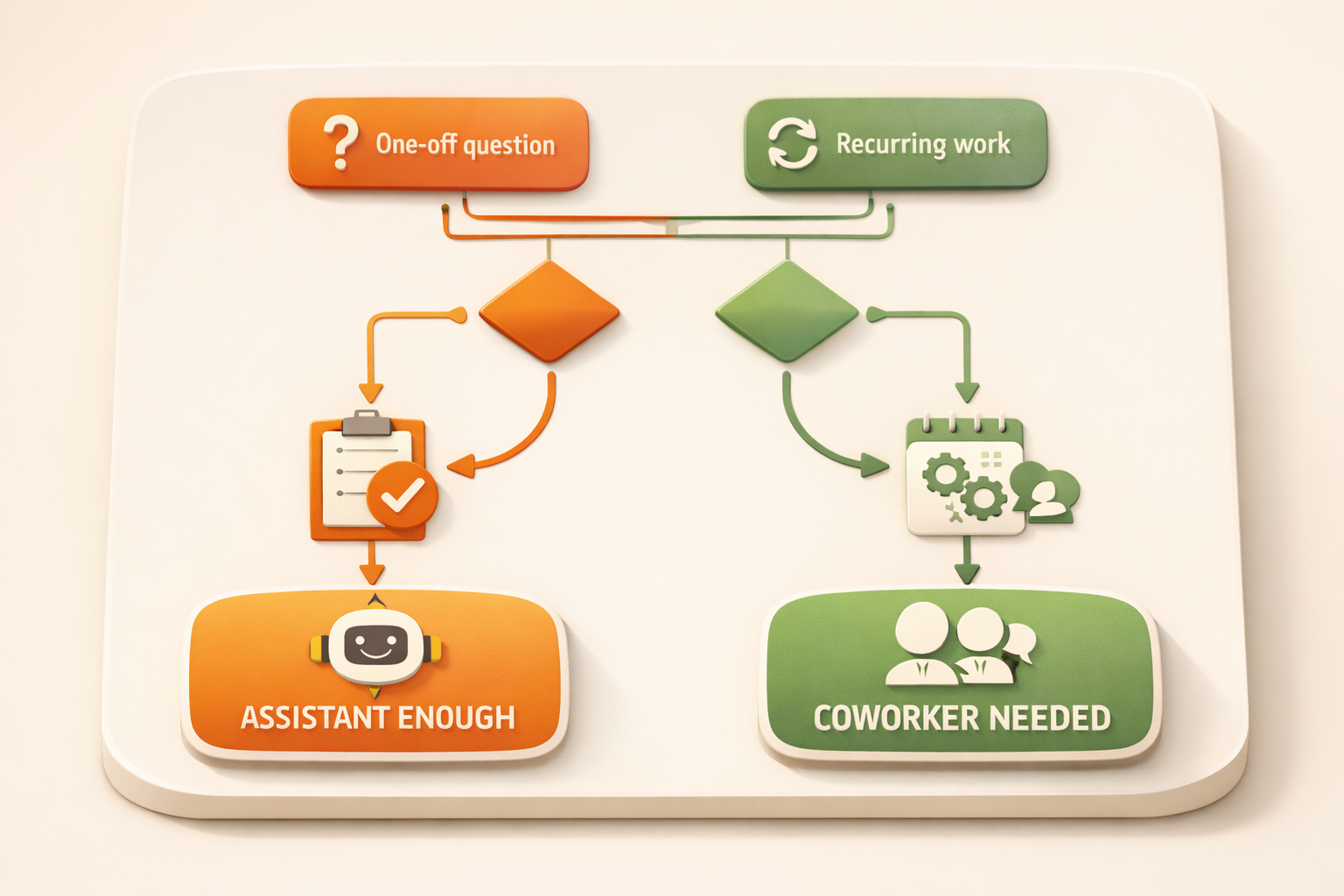
一回限りで、リスクが低く、長期文脈が不要な作業ならAIアシスタントで十分です。
AI同僚が必要な場合
作業が繰り返され、複数の情報源にまたがり、チームが使い続ける成果物を作るならAI同僚が必要です。
Kuseは記憶、成果物作成、AIワークフローを一つのワークスペースにまとめます。
なぜAIアシスタントが標準になったのか
AIアシスタントは理解しやすい形です。チャットを開き、質問し、答えを受け取る。個人作業では十分に便利で、文章作成、アイデア出し、情報探索を速くします。
しかし実際の仕事は、一つの回答だけでは終わりません。営業のフォローアップには顧客履歴が必要です。週次レポートには複数プロジェクトの更新が必要です。プロダクト判断には過去の議論、顧客の声、現在の優先順位が必要です。
実務での違い
AI同僚は、より強いチャットボットではありません。重要なのは、ワークスペースに接続され、仕事の状態を保てることです。ファイルを記憶し、繰り返し使える形式で成果物を作り、最初のメッセージの後も続くワークフローを支えます。
AIアシスタントは、文脈を貼ればメールを書けます。AI同僚は、顧客ノートを見つけ、最新状況を読み、メールを下書きし、出力を保存し、次回のフォローアップを簡単にします。
実際の仕事の例
Sales: フォローアップメールだけでなく、アカウントブリーフ、過去の反論、次回の商談ノートまで整理します。
Marketing: 一つの記事を複数チャネルのキャンペーン素材に変え、元資料と各バージョンを保存します。
Operations: プロセスを説明するだけでなく、抜け漏れを検知し、トラッカーを更新し、週次サマリーを作ります。
どちらが必要か判断する方法
一回限りで記憶が不要ならAIアシスタントで十分です。繰り返し発生し、複数の情報源に依存し、保存すべき成果物があるならAI同僚が必要です。
What changes when AI becomes part of the operating system of work
A useful way to separate an AI assistant from an AI coworker is to look at the unit of work. An assistant usually helps with one request: summarize this, rewrite that, draft this email. Those tasks are valuable, but they still leave the surrounding coordination to the human. The user decides what context to paste, where the result should go, who needs to review it, and what should happen next.
An AI coworker changes the unit of work from a single answer to a repeatable work loop. It can remember the relevant files, understand the expected output, keep a history of prior decisions, and produce work in a place where the team can inspect it later. That is why the distinction matters for managers. The more important question is not which model is smarter in a chat window, but which system reduces the number of handoffs, reminders, copy-paste steps, and forgotten context around real work.
This is also why AI coworker adoption tends to start with recurring work rather than one-off brainstorming. Weekly reports, meeting preparation, prospect research, research briefs, and content repurposing all have clear inputs, expected outputs, and review moments. They are specific enough for AI to help, but frequent enough that the saved coordination time compounds.
AI coworker が実務で変えること
実務で重要なのは、AIが文章を生成できるかだけではありません。入力がどこにあり、結果を誰が確認し、どこに保存され、次回も同じ品質で実行できるかです。良いワークフローは、この周辺の調整コストを減らします。
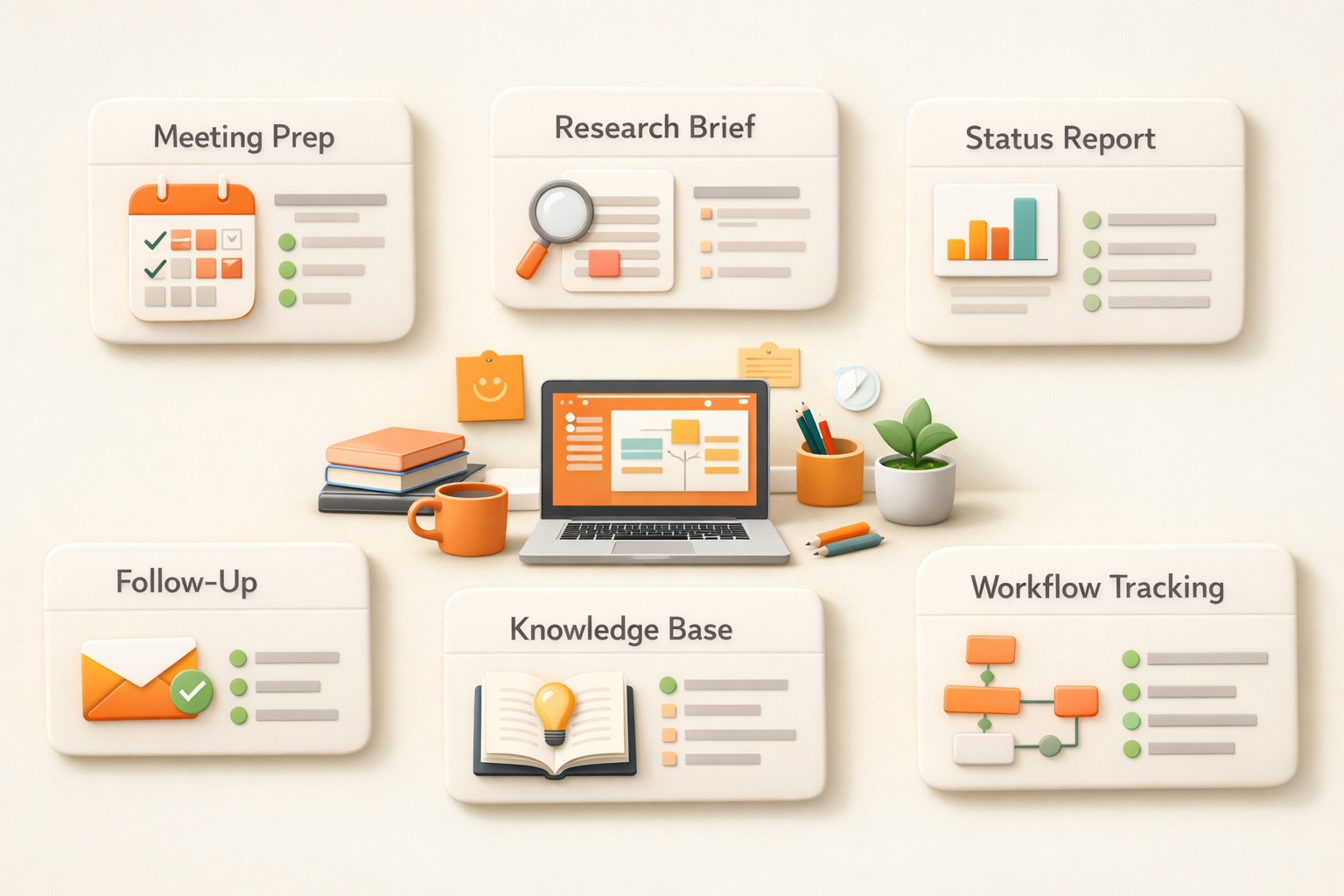
そのため、最初に自動化するべきなのは、頻度が高く、入力が似ていて、出力を人が確認しやすい仕事です。会議準備、週次レポート、リサーチ、コンテンツ再利用、営業準備のような仕事は、AIの効果が見えやすい領域です。
Common mistakes to avoid
The easiest mistake is to treat AI adoption as a writing shortcut rather than a work design problem. A team may generate more drafts, summaries, and ideas, but still lose time because every result has to be checked, moved, reformatted, and explained to the next person. That is why good AI implementation starts with the full work loop, not only the prompt.
The second mistake is choosing tasks that are too vague. If nobody can describe the input, output, quality bar, and review owner, the AI will produce inconsistent work. A better approach is to start with one narrow recurring process, make the expected output very clear, then expand after the team trusts the result.
The third mistake is removing human review too early. The goal is not to pretend AI has perfect judgment. The goal is to let AI prepare the repeatable parts so humans spend more time on decisions, exceptions, and taste. That boundary makes adoption safer and usually makes the final work better.
FAQ
AI同僚とは何ですか?
文脈を記憶し、タスクをまたいで働き、成果物を作るAIシステムです。
AIアシスタントと同じですか?
いいえ。アシスタントはプロンプトに応答し、同僚は継続性と成果物を前提にします。
Start working with your AI coworker
Kuse turns recurring work into an AI workflow with memory, connected tools, and reusable outputs. Try Kuse for free and build a workflow that keeps working after the chat ends.