AI Coworker vs AI Assistant: qual è la vera differenza?
Capisci la differenza tra AI assistant e AI coworker, dalla memoria alla responsabilità, dai workflow ai deliverable.

AI assistant vs AI coworker: la differenza essenziale
Un AI assistant aiuta quando glielo chiedi. Un AI coworker segue il lavoro, capisce il contesto e produce deliverable che fanno avanzare un processo. La differenza sembra sottile, ma cambia il modo in cui i team usano l AI.
Perché conta ora: Anche le ricerche indipendenti vanno nella stessa direzione. Lo Stanford AI Index mostra la rapida adozione dell'AI nelle aziende, mentre il report AI in Action di IBM evidenzia il passaggio dalla sperimentazione all'impatto operativo quotidiano. Il punto non è più se l'AI sappia rispondere a un prompt, ma se possa aiutare i team a completare lavoro ricorrente con contesto, affidabilità e tracciabilità sufficienti.
Il modello assistant è conversazionale. Risponde, scrive bozze, riassume e suggerisce. Il modello coworker è operativo. Ricorda, organizza, segue le attività e continua a lavorare tra più task.
Il criterio più semplice è la responsabilità sul lavoro. Se l AI aspetta un prompt e restituisce una risposta, si comporta da assistant. Se mantiene il contesto tra file, organizza gli output e porta avanti un processo ricorrente, si avvicina a un AI coworker.
La maggior parte dei team non ha bisogno di un altra chat. Ha bisogno di ridurre il coordinamento, conservare il contesto e trasformare richieste ripetute in sistemi riutilizzabili.
Questo articolo spiega la differenza reale per aiutarti a capire cosa serve davvero al tuo team.
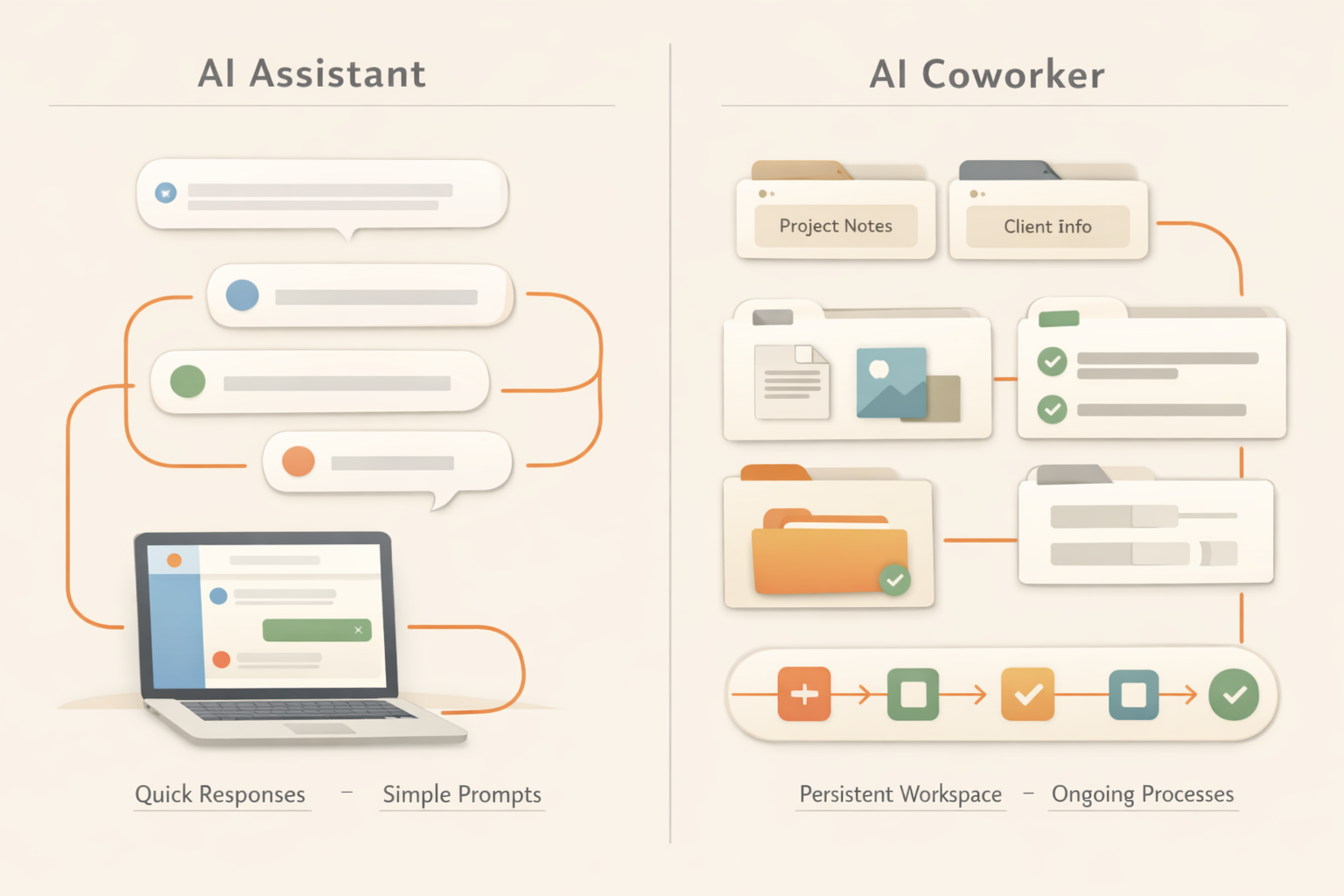
Tabella comparativa: AI assistant vs AI coworker
| Dimensione | AI assistant | AI coworker |
|---|---|---|
| Default behavior | Waits for a prompt. | Tracks work and can continue a process. |
| Memory | Often session-based or user-profile based. | Uses files, decisions, preferences, and work history as context. |
| Output | Usually text in a chat. | Documents, reports, trackers, pages, and reusable files. |
| Ownership | Helps you complete a task. | Can own a recurring workflow with review points. |
| Best for | Quick answers, drafts, brainstorming. | Recurring work, cross-tool tasks, team memory, deliverables. |
Perché la differenza conta
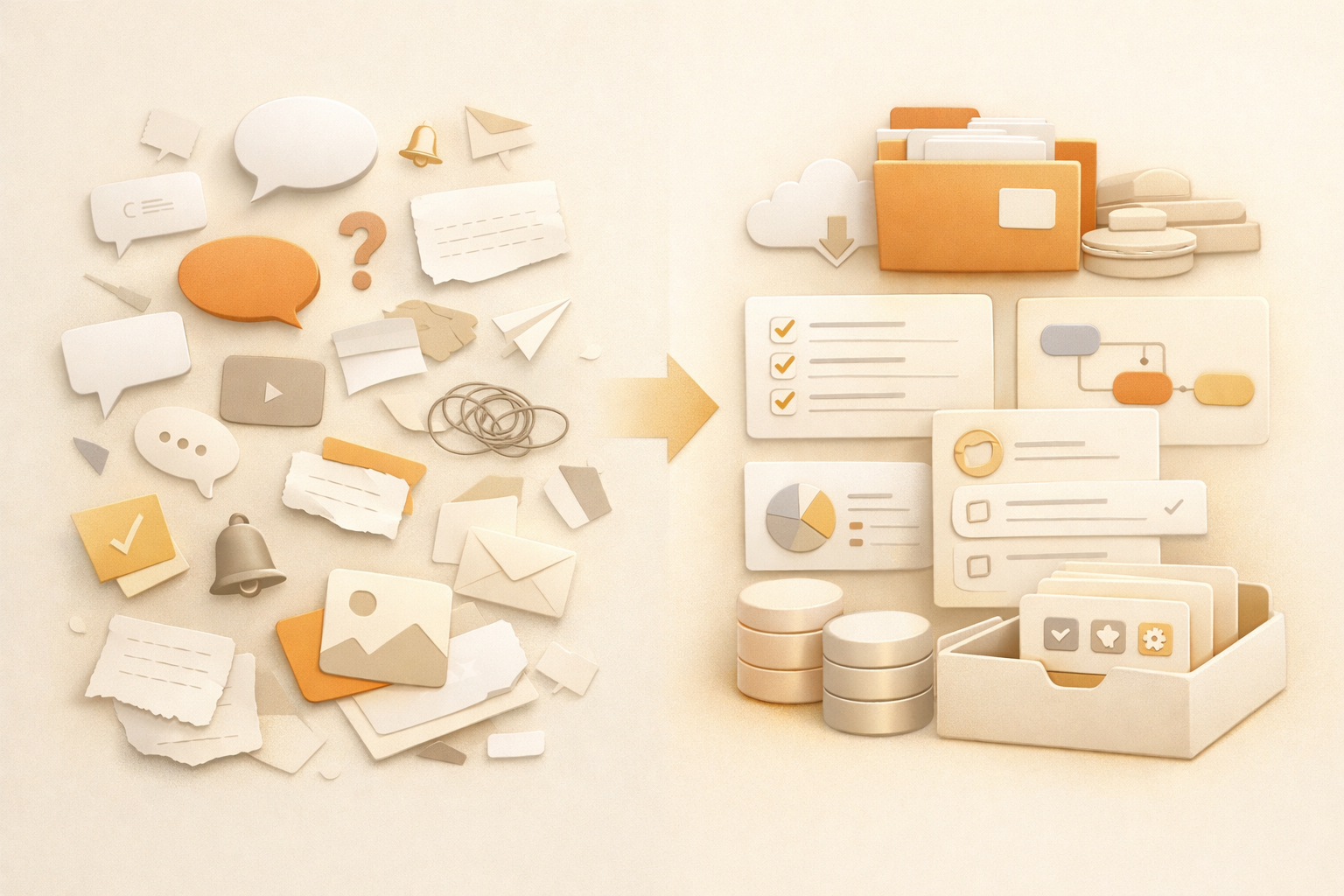
Molti team non falliscono con l AI perché il modello non sa scrivere. Falliscono perché il lavoro sparisce dopo la chat. Qualcuno deve ancora ricordare il contesto, salvare il risultato e aggiornare il passo successivo.
Quando basta un AI assistant
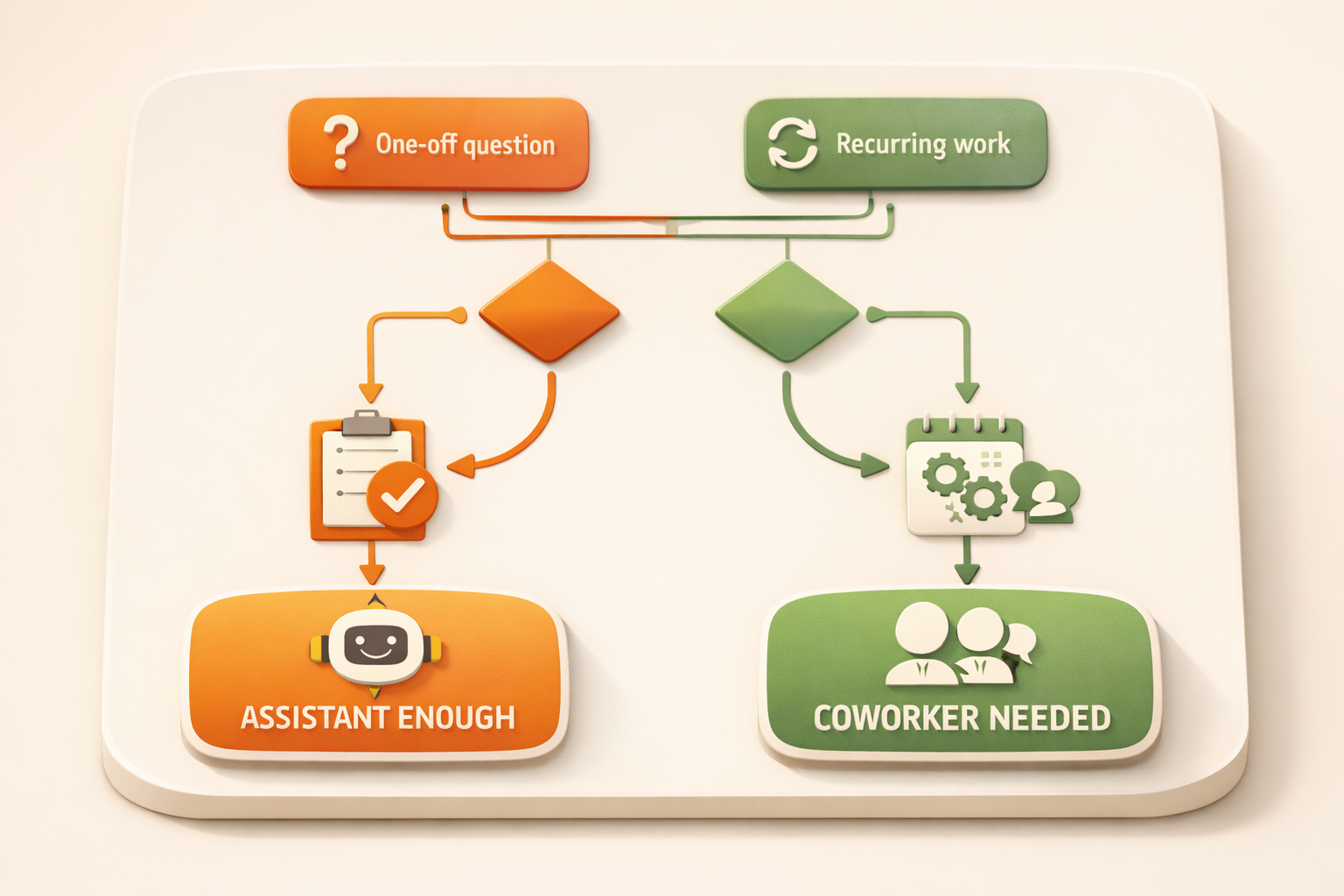
Se il task è una tantum, a basso rischio e non richiede contesto di lungo periodo, un AI assistant basta.
Quando serve un AI coworker
Se il lavoro si ripete, tocca più fonti e produce output che il team userà ancora, serve un AI coworker.
Kuse combina memoria, creazione di deliverable e AI workflow in un unico workspace.
Perché gli AI assistant sono diventati lo standard
Gli AI assistant sono facili da capire. Apri una chat, fai una domanda e ricevi una risposta. Per il lavoro individuale sono già utili: accelerano la scrittura, aiutano nel brainstorming e riducono la pagina bianca.
Ma il lavoro reale raramente inizia e finisce con una risposta. Un follow-up commerciale dipende dalla storia del cliente. Un report settimanale dipende da aggiornamenti sparsi. Una decisione di prodotto dipende da discussioni, feedback e priorità.
La differenza nel lavoro pratico
Un AI coworker non è solo un chatbot più potente. La differenza è che è collegato a un workspace e può mantenere lo stato del lavoro nel tempo. Ricorda file, produce output riutilizzabili e supporta workflow che continuano dopo il primo messaggio.
Un assistant può scrivere un email se incolli il contesto. Un coworker dovrebbe trovare le note cliente, leggere lo stato aggiornato, scrivere l email, salvare l output e rendere più facile il follow-up successivo.
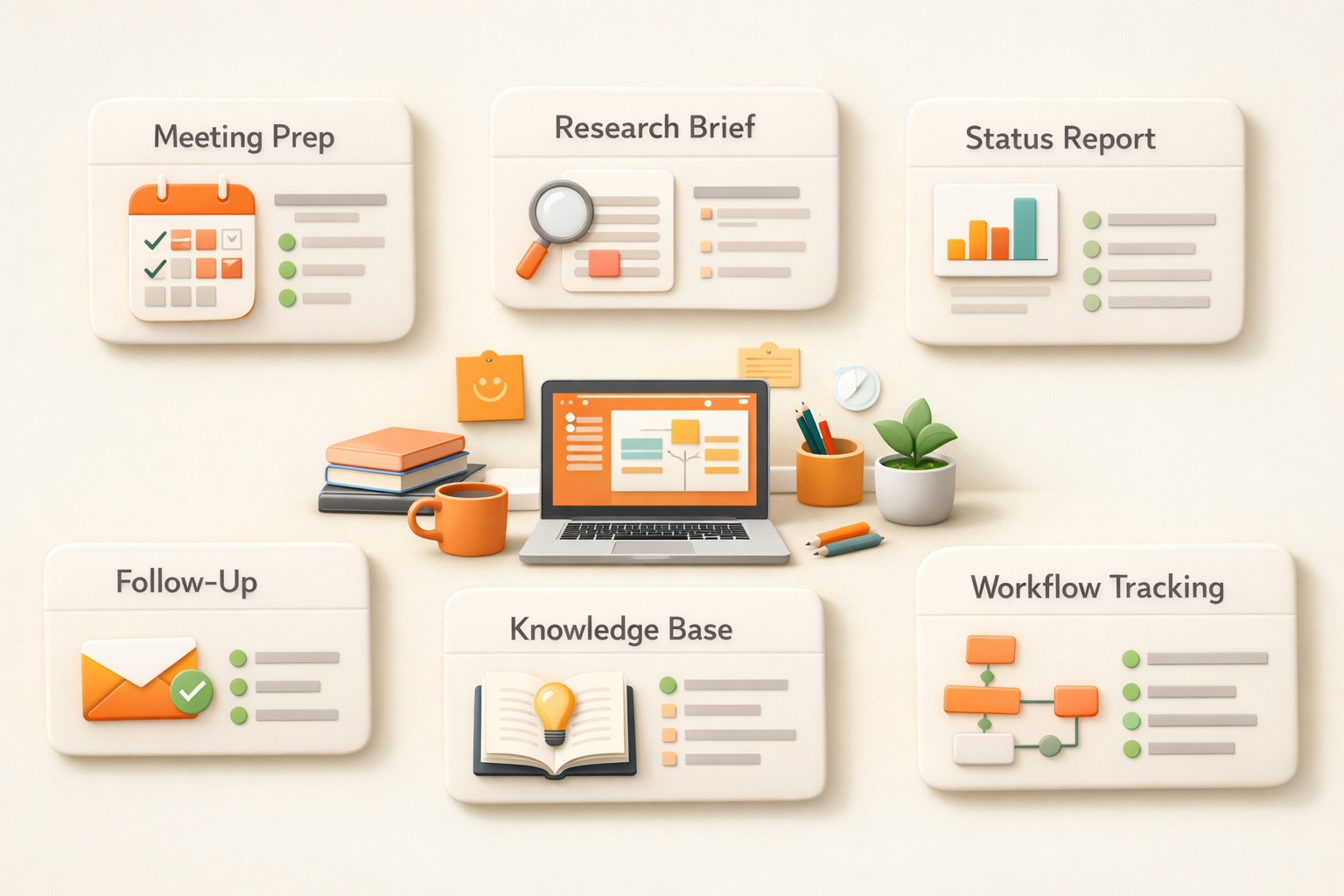
Esempi di lavoro reale
Sales: prepara account brief, bozze di follow-up, obiezioni passate e note per la prossima call.
Marketing: trasforma un asset in un campaign pack e conserva materiale sorgente e versioni.
Operations: monitora processi, segnala aggiornamenti mancanti, mantiene tracker e crea riepiloghi settimanali.
Come scegliere
Usa un AI assistant per attività una tantum senza memoria. Scegli un AI coworker quando il lavoro si ripete, dipende da più fonti e produce output da salvare e riutilizzare.
What changes when AI becomes part of the operating system of work
A useful way to separate an AI assistant from an AI coworker is to look at the unit of work. An assistant usually helps with one request: summarize this, rewrite that, draft this email. Those tasks are valuable, but they still leave the surrounding coordination to the human. The user decides what context to paste, where the result should go, who needs to review it, and what should happen next.
An AI coworker changes the unit of work from a single answer to a repeatable work loop. It can remember the relevant files, understand the expected output, keep a history of prior decisions, and produce work in a place where the team can inspect it later. That is why the distinction matters for managers. The more important question is not which model is smarter in a chat window, but which system reduces the number of handoffs, reminders, copy-paste steps, and forgotten context around real work.
This is also why AI coworker adoption tends to start with recurring work rather than one-off brainstorming. Weekly reports, meeting preparation, prospect research, research briefs, and content repurposing all have clear inputs, expected outputs, and review moments. They are specific enough for AI to help, but frequent enough that the saved coordination time compounds.
AI coworker が実務で変えること
Nella pratica non conta solo se l AI riesce a scrivere un testo. Conta dove sono gli input, chi controlla il risultato, dove viene salvato e se la stessa qualità può ripetersi la settimana successiva. Un buon workflow riduce questo costo di coordinamento.
Per questo il primo caso da automatizzare dovrebbe essere frequente, basato su input simili e facile da revisionare. Preparazione riunioni, report settimanali, ricerca, riuso dei contenuti e preparazione commerciale sono buoni punti di partenza.
Common mistakes to avoid
The easiest mistake is to treat AI adoption as a writing shortcut rather than a work design problem. A team may generate more drafts, summaries, and ideas, but still lose time because every result has to be checked, moved, reformatted, and explained to the next person. That is why good AI implementation starts with the full work loop, not only the prompt.
The second mistake is choosing tasks that are too vague. If nobody can describe the input, output, quality bar, and review owner, the AI will produce inconsistent work. A better approach is to start with one narrow recurring process, make the expected output very clear, then expand after the team trusts the result.
The third mistake is removing human review too early. The goal is not to pretend AI has perfect judgment. The goal is to let AI prepare the repeatable parts so humans spend more time on decisions, exceptions, and taste. That boundary makes adoption safer and usually makes the final work better.
FAQ
Che cos è un AI coworker?
È un sistema AI che ricorda il contesto, lavora tra più task e produce deliverable.
È uguale a un AI assistant?
No. Un assistant risponde ai prompt. Un coworker è progettato per continuità e output riutilizzabili.
Start working with your AI coworker
Kuse turns recurring work into an AI workflow with memory, connected tools, and reusable outputs. Try Kuse for free and build a workflow that keeps working after the chat ends.